
Open
Create the internal requisition with title, department, designation, employment type, headcount and hiring status.
Operentra HRM gives HR teams a complete ATS for requisitions, SEO careers pages, applications, interviews, offers, offer letters and conversion into employees with onboarding already connected.
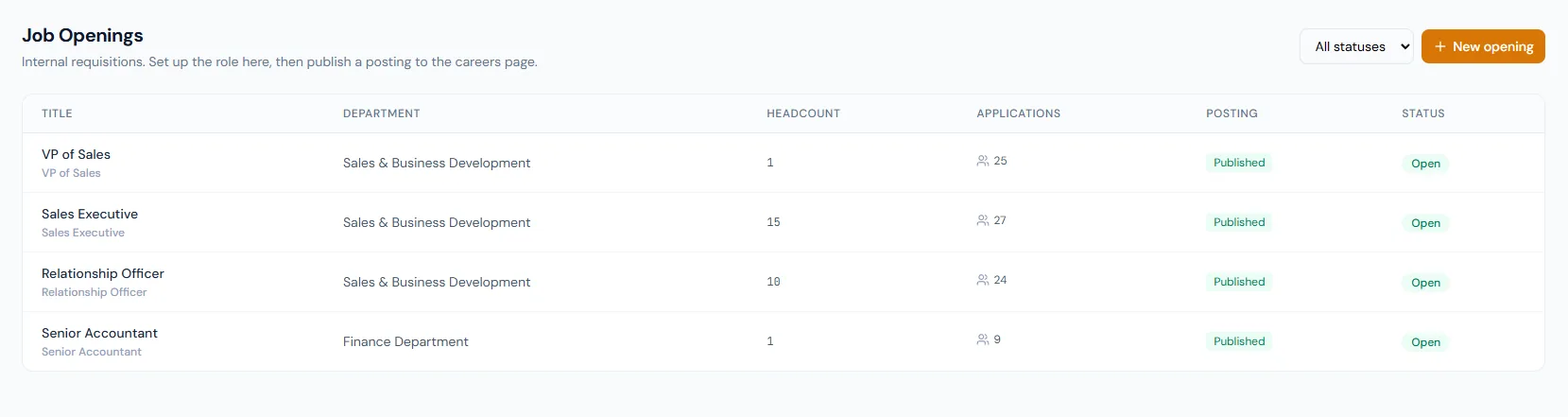
Recruitment turns hiring into a controlled path: requisition setup, careers publishing, candidate intake, pipeline movement, interview scheduling, offer response, PDF generation and employee conversion.
The Recruitment module links job openings, public postings, candidate rows, applications, interviews, offers, offer PDFs and employee creation so hiring context survives the handoff to HR operations.
Create the internal requisition with title, department, designation, employment type, headcount and hiring status.
Turn the opening into a branded public posting with clean careers URLs and Google for Jobs markup.
Collect applications from public apply forms or add sourced candidates manually with the same receipt email.
Move candidates through the pipeline, schedule panels and capture structured feedback from interviewers.
Extend secure-link offers with official PDF letters, candidate accept or decline actions and status tracking.
Create the employee through the full employee form and trigger user setup, onboarding and recruitment linking.
Manage the full hiring lifecycle from internal requisition to employee handoff.
Open featureCreate internal requisitions with role, department, designation, headcount and status.
Open featurePublish fast-loading, search-friendly job pages with branded application forms.
Open featureCapture public and manual candidate applications with CV history and automatic duplicate detection by email.
Open featureMove applications through applied, screening, interview, offer, hired and closed stages.
Open featureSchedule rounds, invite panels, send calendar invites and collect interviewer feedback.
Open featureExtend offers with proposed compensation, joining date, expiry and candidate response tracking.
Open featureGenerate candidate-tailored offer PDFs and attach them to official offer emails.
Open featureConvert accepted candidates into complete employee records with full validation.
Open featureStarts onboarding, account setup and recruitment linking automatically after employee creation.
Open featureOpenings, public postings, candidates, applications, interviews, interview feedback, offers and conversion into employee records — one connected hiring workflow from start to finish.
Careers pages load fast with clean public web addresses, branded company context, sitemap discovery and Google for Jobs markup for search indexing.
Scheduled rounds can include multiple interviewers, calendar attachments, candidate confirmation pages, reminders and portal feedback.
Accepted candidates move through full employee creation, user account setup, onboarding pipeline creation and recruitment link stamping.
Map your hiring workflow to the right HRM setup, roles, careers pages, email templates and onboarding handoff.
Openings, published roles and candidate reviews sit in one place, making the pipeline far easier to manage than separate spreadsheets.
The careers page and application flow keep public applicants and manually sourced candidates in the same process, so hiring managers see one clean pipeline.
Panel invites, candidate confirmations and feedback all stay connected to the application record, making interview scheduling dependable.
HR can see whether an offer is sent, accepted, declined or expired without chasing email threads, and every offer letter stays on the record.
Accepted candidates become complete employee records and onboarding starts automatically, without re-entering the hiring context.
Recruitment covers job openings, public careers pages, candidate applications, pipeline stages, interviews, offers, offer letters, conversion and onboarding handoff.
Yes. Careers pages are fast-loading and search-friendly, with a clean web address for every role, sitemap support and Google for Jobs markup.
Yes. Sourced leads can be added manually from the opening's applications tab and receive the same application received email as public applicants.
HR schedules rounds from the application detail page, selects interviewers, sends calendar invites and collects structured feedback in the portal.
The offer response moves the application to hired, then HR converts the candidate through the full employee creation flow so onboarding can start.