
Role setup
Each opening captures the job title, department, designation, employment type and number of hires needed.
Create internal requisitions with title, department, designation, employment type, headcount and status before publishing a candidate-facing job posting.
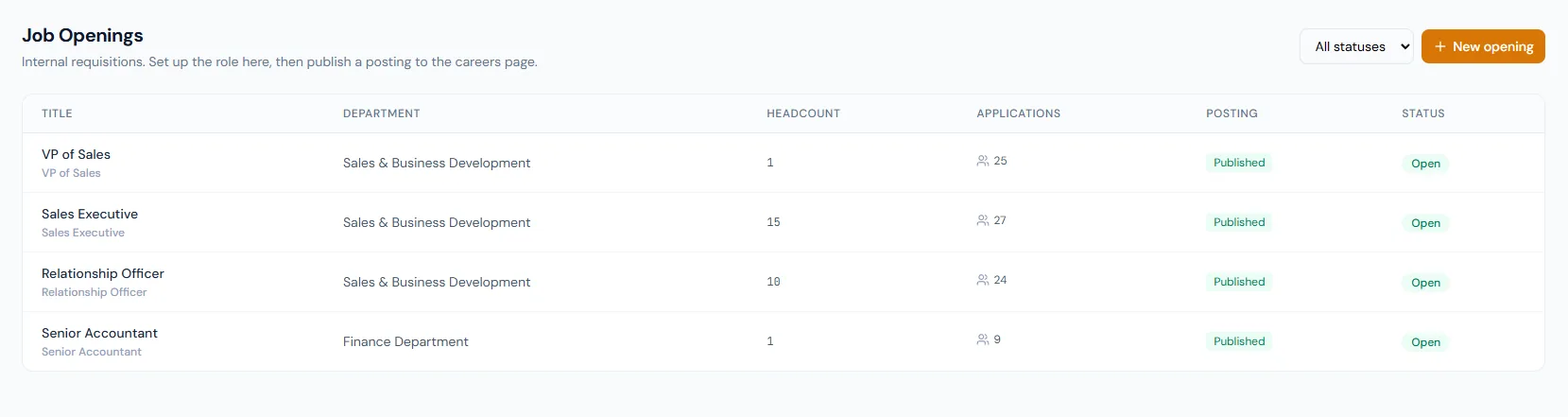
Create internal requisitions with title, department, designation, employment type, headcount and status before publishing a candidate-facing job posting.
Each opening captures the job title, department, designation, employment type and number of hires needed.
Openings move from draft to open, then filled, on hold or cancelled as hiring changes.
The public posting is tied one-to-one with the opening and can publish only when the opening is open.
Create internal requisitions with title, department, designation, employment type, headcount and status before publishing a candidate-facing job posting.
Openings capture the role, seniority level, hiring-manager owner and a budget-approval trail.
Openings connect to department and designation structure, and branch scoping feeds the public job location.
The system knows how many hires are needed.
Draft, open, filled, on-hold and cancelled states are explicit.
A posting can be unpublished without cancelling the opening behind it.
Hiring the final candidate can close the opening.
Every view stays structured and reviewable — nothing hides behind a tab.
HR can build the opening before it appears publicly.
Open status allows the public posting to be published and applications to be collected.
When hires meet the requested count, the opening can auto-transition to filled — the board stays visible while new applications and posting publish are blocked.
On-hold or cancelled states preserve the record while stopping active recruitment.
No. The posting is published after the opening is open.
Yes. Filled status can be driven by the requested headcount.
Yes. A public posting is tied one-to-one with the opening.
Map your current workflow to the right HRM setup, permissions and rollout plan.