
Schedule interview rounds from an application, invite one or more interviewers, send calendar attachments, capture candidate confirmations and collect structured interviewer feedback.
Interviews are tied directly to candidate applications.
Linking a branch fills the interview location and map link into emails and the public confirmation page.
Email invites include .ics files, and a standalone calendar file can be downloaded again after confirmation.
Candidates can confirm or request reschedule on a public token page.
Scheduled reminder logic can send 24-hour notifications.
Interviewers use the portal to submit structured feedback with ratings and recommendations.
Schedule interview rounds from an application, invite one or more interviewers, send calendar attachments, capture candidate confirmations and collect structured interviewer feedback.
HR schedules interviews from the application detail page and assigns one or more HRM users as interviewers.
Candidate and interviewers receive .ics attachments so the event can be added to their calendars.
Interviewers submit rating, recommendation, strengths, concerns and notes from the portal.
The Interviews page helps HR schedule candidate rounds, invite panel members, send calendar details and collect structured feedback in one recruitment workflow.
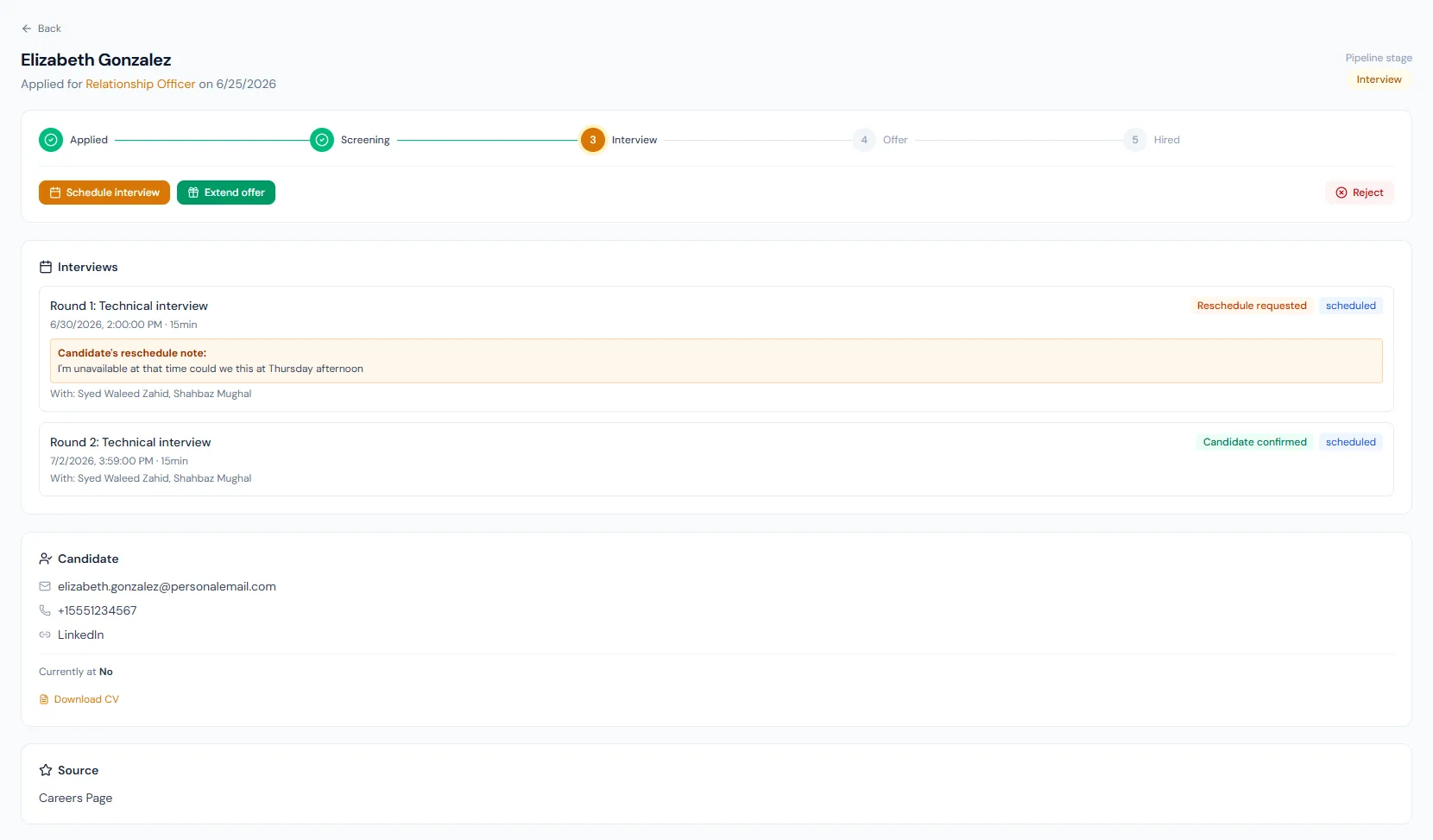
Choose a view to see how this module keeps daily HR work structured and reviewable.
Date, duration, location, meeting link and interviewers define the round.
Values remain traceable in HRM.Schedule interview rounds from an application, invite one or more interviewers, send calendar attachments, capture candidate confirmations and collect structured interviewer feedback.
Shared context keeps this workflow aligned with candidate pipeline records.
ConnectedShared context keeps this workflow aligned with candidate applications records.
ConnectedShared context keeps this workflow aligned with offers records.
ConnectedShared context keeps this workflow aligned with portal dashboard records.
ConnectedShared context keeps this workflow aligned with notifications records.
ConnectedYes. Assigned interviewers get their own portal page listing upcoming interviews.
Yes. It builds .ics attachments for candidates and interviewers.
Yes. The public confirmation page supports reschedule requests.
Map your current workflow to the right HRM setup, permissions and rollout plan.