
Collect
Gather salary assignment, attendance summary, approved leave, loans, bonuses and adjustments for the selected month.
Operentra HRM connects salary structures, earnings, deductions, tax, loans, adjustments, approvals and salary slips so HR and finance can process payroll from inputs to disbursement.
Payroll turns monthly salary work into a governed path: collect HR inputs, calculate component rows, review exceptions, approve totals, lock history and publish salary slips.
The Payroll module connects salary assignments, attendance, leave, loans, tax, bonuses and adjustments so salary runs are explainable before employees receive slips or payments.
Gather salary assignment, attendance summary, approved leave, loans, bonuses and adjustments for the selected month.
Build earnings, deductions, employer contributions, taxable income, tax and final net salary in order.
Inspect employee entries, exceptions, payroll totals and component rows before authorizing the run.
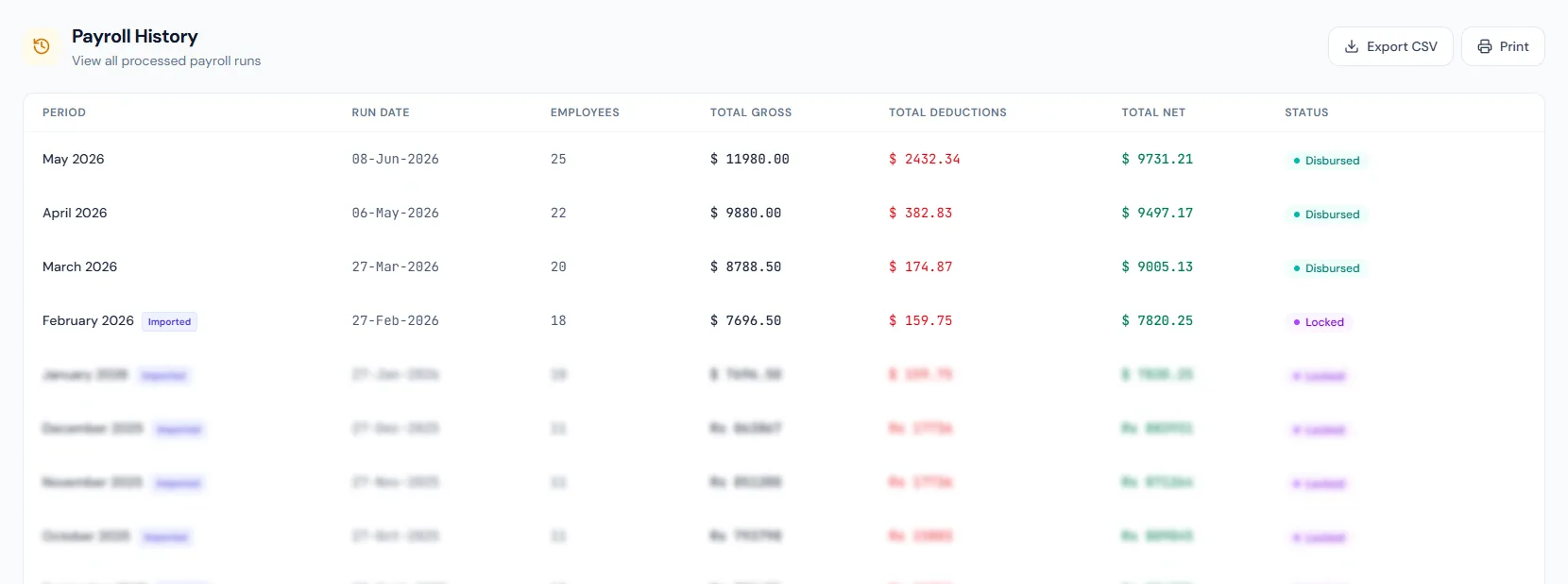
Move the salary run into approved or locked states so history and payroll outputs are protected.
Publish salary slips, mark entries paid, trigger acknowledgments and keep audit-ready payroll history.
Run salary cycles from draft calculation through review, approval, locking and disbursement.
Open featureCreate reusable compensation packages and assign them to employees with effective salary history.
Open featureDefine earning, deduction and employer contribution components used across payroll calculations.
Open featureApply approved one-time additions, deductions, bonuses and corrections to a selected payroll period.
Open featureCalculate payroll tax with fiscal-year slabs, exemption behavior and annual salary projection.
Open featureManage employee loan approval, disbursement, installment schedules and payroll deductions.
Open featureGenerate, download, email and publish salary slips from finalized payroll entries.
Open featureTrack cheque templates, printed payments, registers and batch payroll cheque output.
Open featureMove salary runs through review, approved, locked and disbursed states with clear permissions.
Open featureCalculate exit payroll for leave, funds, loan balances, deductions and final payable amounts.
Open featureSalary components, reusable structures, monthly runs, tax slabs, loans, adjustments, salary slips and a clear status workflow — the complete pay cycle handled in one module.
Payroll runs, entries, component rows, approvals and locked states preserve calculation history for HR, finance and reporting review.
Earnings, deductions, employer contributions, tax treatment and manual adjustments stay visible as structured salary lines.
Approved runs support salary slips, cheque/payment handoff, payroll reports, tax summaries and employee portal delivery.
Map your salary structure, tax, loan, adjustment, approval and slip process to the right HRM setup and rollout plan.
Salary structures, attendance inputs, tax and loans feed one controlled run, so finance can review totals before anything is locked or disbursed.
Salary structure and component setup replaces repeated spreadsheet work — every earning, deduction and employer contribution traces back to its payroll entry.
Tax calculation, loans and adjustments stay attached to the same payroll run, making them easier to verify at month-end.
Salary slips and acknowledgments close payroll with clear employee communication — each output can be resent, downloaded and audited.
Payroll approvals and locking draw a reliable boundary between draft calculations and final salary history, reducing corrections after disbursement.
Payroll covers salary processing, salary structures, earnings and deductions, adjustments, tax, loans, salary slips, cheque management, approvals and final settlement.
Attendance, overtime, payable days, approved leave and unpaid leave can feed payroll calculations before review and approval.
Draft or review runs can be recalculated, while approved, locked and disbursed runs protect finalized salary history.
Approved bonus and adjustment rows are pulled into the selected payroll run, stamped to that run and blocked from being applied again after settlement.
Yes. Finalized payroll entries can generate salary slips for download, email delivery and employee portal access with acknowledgment tracking.
Payroll runs for a team in any country, on the salary structures, allowances and deductions you define. What ships per country is statutory automation — withholding and contributions computed for you — and we keep adding packs. Today that covers the US and Canada (federal income tax + FICA / CPP + EI — state and provincial tax are handled by you), the UK (PAYE + National Insurance), Australia (resident PAYG tax, the Medicare levy, superannuation shown as an employer line, NES leave), New Zealand (PAYE, the ACC earners' levy, Holidays Act leave — KiwiSaver is set per employee), Germany and France (the employee social-insurance contributions — RV/KV/PV/AV, and vieillesse, AGIRC-ARRCO, CSG/CRDS — plus statutory leave; income-tax withholding is yours to enter, since German tax classes and the French per-employee rate cannot be expressed as a bracket table), Singapore (CPF for citizens; no tax withholding, because IRAS assesses employees directly), India (new-regime tax with the Section 87A rebate, EPF, Payment of Gratuity Act), the UAE (end-of-service per the 2021 Labour Law, no income tax), Saudi Arabia (GOSI for Saudi nationals, Art. 84 end-of-service), the Philippines (TRAIN Act withholding on pay net of SSS, PhilHealth and Pag-IBIG, which are all computed) and Pakistan (FBR slab tax, EOBI/PF components, gratuity). Rate tables and wage bases are year-versioned and were checked against each authority's published figures. Until a pack covers your country, payroll, leave and documents still run from day one — what waits for the pack is automatic income tax and statutory contributions. Your workspace shows exactly which areas are automated for your country and which you configure — under Workspace Settings, with the statutes we encode cited so your accountant can verify them.