
Monitor employee attendance with clock-in/out activity, present and absent states, late marks, overtime context, shift alignment and payroll-ready time records.
01Assign shiftAttendance Tracking process stepActive
02Capture punchAttendance Tracking process stepActive
03Apply rulesAttendance Tracking process stepActive
HR can review attendance by employee and date.
Device logs can feed attendance records directly.
Policy rules make late marking consistent across the company.
Each shift chooses punch-required, auto-present or punch-not-required behavior.
A Force lock keeps an admin's manual status from being changed by later recalculations.
A rest day can be swapped with a working day and every calculation follows the swap.
Time data can feed payroll calculations.
HR can inspect missing or unusual records.
The Attendance Tracking page from HRM helps teams review employee time activity, status, exceptions and payroll-ready attendance context from one controlled view.
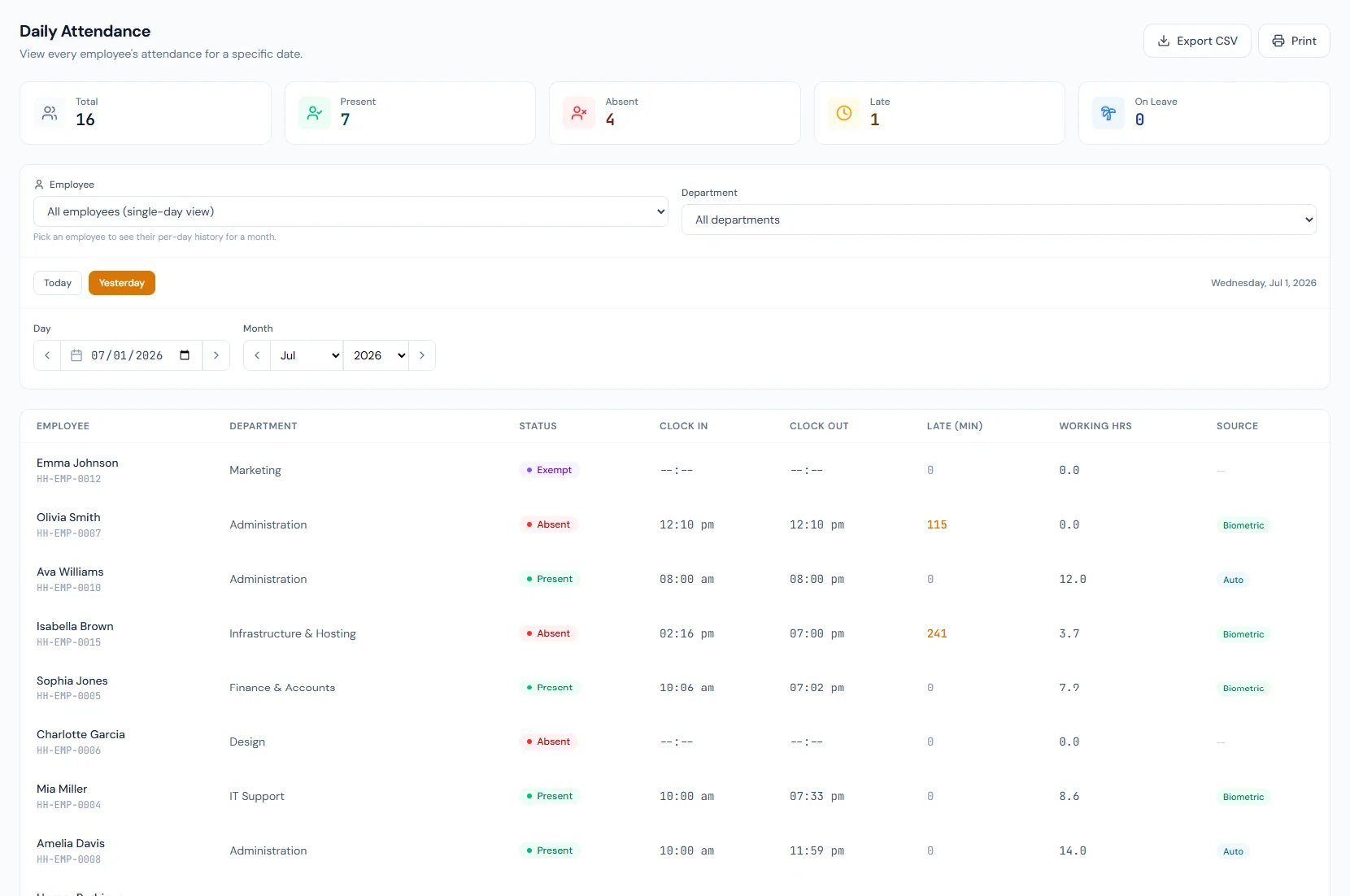
Monitor employee attendance with clock-in/out activity, present and absent states, late marks, overtime context, shift alignment and payroll-ready time records.
Monitor employee attendance with clock-in/out activity, present and absent states, late marks, overtime context, shift alignment and payroll-ready time records.
Capture each employee's day-level attendance status for HR review.
Clock-in and clock-out activity builds reliable attendance history.
Late, overtime and absence signals can support salary processing.
Every view stays structured and reviewable — nothing hides behind a tab.
Clock activity creates a present day when it satisfies shift rules.
Late marks are calculated from shift start time and grace rules.
A working day with no punches simply reads as absent — nobody has to create the record.
Device-backed punch logs feed attendance, reducing manual edits and disputes.
Daily employee presence, absence, late marks, clock activity and overtime context.
Yes. Approved time records can support payroll inputs.
Yes. Shift timing provides the rule context.
Map your current workflow to the right HRM setup, permissions and rollout plan.