
Coordinate pre-joining prep, user setup, salary assignment, biometric enrollment, asset preparation and probation tracking from one onboarding pipeline.
Choose a view to see how this module keeps daily HR work structured and reviewable.
Send communication and prepare equipment before the employee arrives.
Values remain traceable in HRM.The Onboarding page from HRM coordinates new-hire setup tasks, account readiness, assets, biometrics and probation progress in one pipeline.
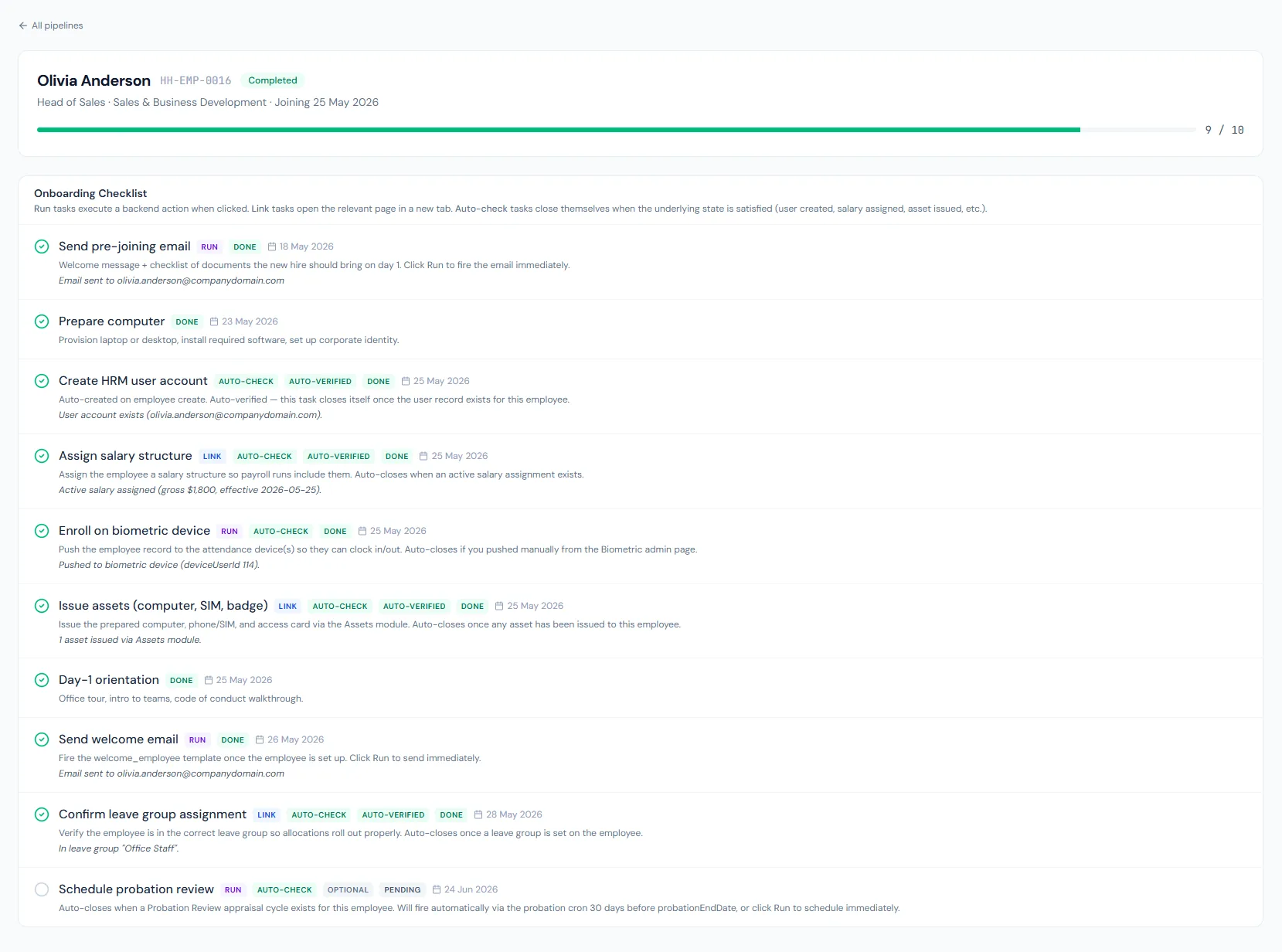
Coordinate pre-joining prep, user setup, salary assignment, biometric enrollment, asset preparation and probation tracking from one onboarding pipeline.
Send the pre-joining email, prepare the computer and collect the work needed before day one.
Create the HRM account, assign salary, enroll biometrics and connect the employee to the right modules.
Track probation completion so HR can confirm employment deliberately when the review date arrives.
Every pipeline starts with the same structured task list and due-date offsets.
Manual tasks, deep links and system actions coexist in one checklist.
Each task can be assigned to a named HR user, who receives an assignment email.
Pipelines move through preparing, day one, ramping and completed states, with cancellation available.
Evidence from account, salary, asset, leave-group, biometric and probation records completes tasks automatically.
The pipeline closes itself once every required task is done — the probation-review task is optional, not a gate.
Onboarding does not replace assets, payroll, biometrics or leave. It coordinates them in one dashboard with manual, link and system-action tasks.
Shared context keeps this workflow aligned with employees records.
ConnectedShared context keeps this workflow aligned with assets records.
ConnectedShared context keeps this workflow aligned with payroll records.
ConnectedShared context keeps this workflow aligned with attendance records.
ConnectedShared context keeps this workflow aligned with email records.
ConnectedIt starts after employee creation and automatically receives the employee context.
Yes. Link tasks can send HR directly to salary assignment, biometric setup or related records.
No. Probation is completed by confirming the employee from the employee record, which also issues the confirmation letter.
Map your current workflow to the right HRM setup, permissions and rollout plan.