
Account
Access preparationPortal access arrives as an invitation the new hire claims — no passwords are issued, and admin-managed memberships skip the invite entirely.
- InvitePolicy address
- ClaimBinds email
- None optionNo invite
After candidate conversion, HRM invites the portal account, spawns the onboarding pipeline with the default checklist and links recruitment history to the employee lifecycle.
Portal access arrives as an invitation the new hire claims — no passwords are issued, and admin-managed memberships skip the invite entirely.
Every view stays structured and reviewable — nothing hides behind a tab.
Portal access arrives as an invitation the new hire claims — no passwords are issued, and admin-managed memberships skip the invite entirely.
The onboarding pipeline and its default tasks are created automatically, and tasks close themselves as system evidence appears.
The candidate and application are stamped as converted and linked to the employee.
HR lands on the employee profile and regular onboarding, probation and HR workflows continue.
The Onboarding Handoff page connects recruitment conversion to employee setup, user access, onboarding tasks and the downstream lifecycle record.
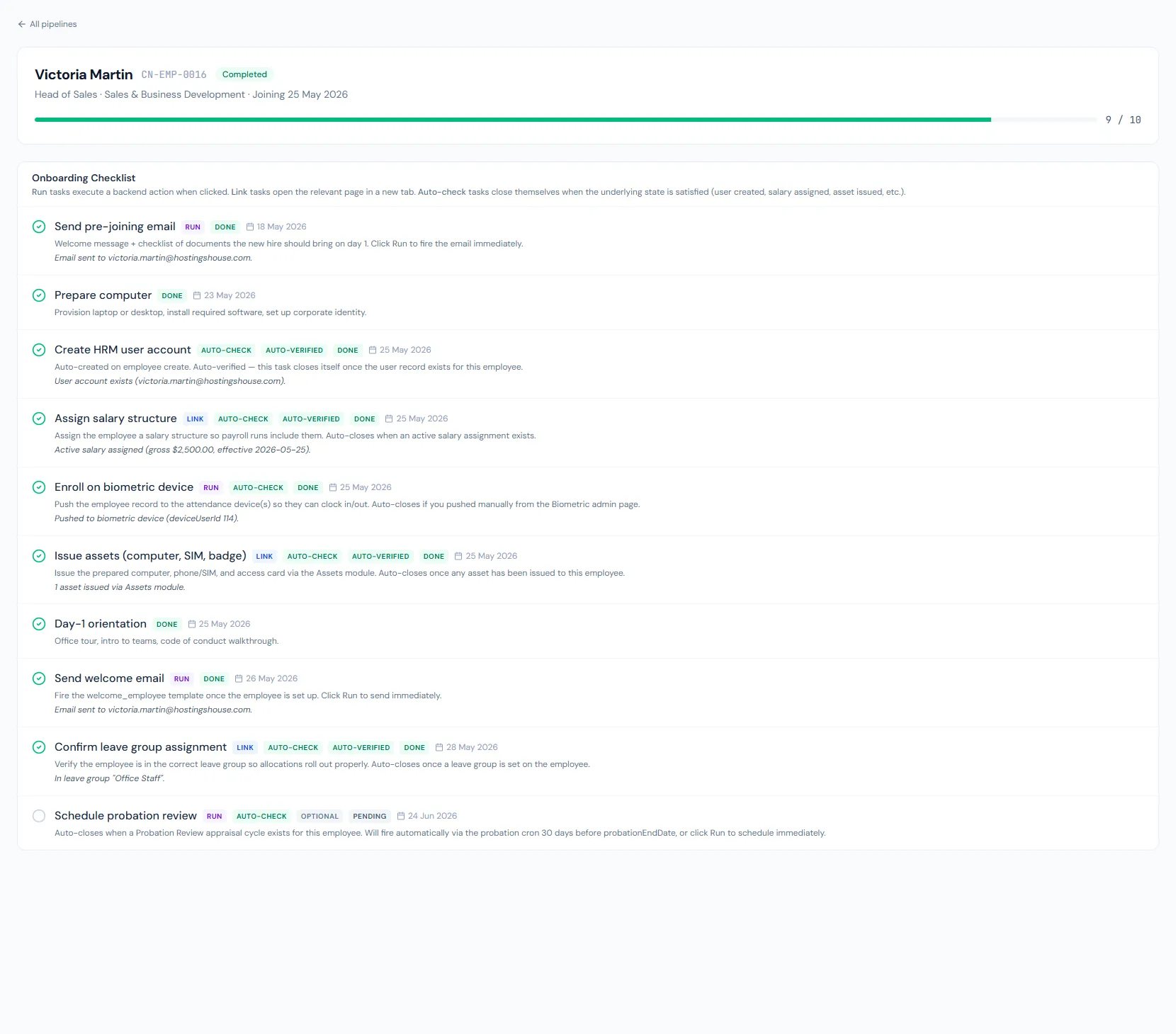
After candidate conversion, HRM invites the portal account, spawns the onboarding pipeline with the default checklist and links recruitment history to the employee lifecycle.
When invite access is chosen, the new hire receives a claim-based invitation to the policy-chosen address — personal first, then official, then an admin-entered one; admin-managed access sends no invite.
The onboarding module starts the default checklist with due-date offsets around joining — pre-joining email a week before, computer prep two days before, day-one setup on joining day.
The original candidate/application remains connected to the employee and hired state.
The new hire claims an invitation rather than being handed credentials.
Default onboarding tasks are started automatically with sensible due-date offsets.
The original application stays linked.
Two ready-made actions send the pre-joining email and the welcome email from the checklist.
Default tasks complete automatically as accounts, salary, assets and biometric records appear.
Probation, documents, assets and letters continue in normal employee modules.
After candidate conversion, HRM invites the portal account, spawns the onboarding pipeline with the default checklist and links recruitment history to the employee lifecycle.
The pipeline is created automatically right after the employee record is created.
When invite access is chosen, an invitation goes to the policy-chosen address and claiming it binds the account; admin-managed access sends no invite.
No. The application is linked to the new employee.
Map your current workflow to the right HRM setup, permissions and rollout plan.