
Invite
Send the account setup email so the employee can create a password and reach the portal.
Operentra HRM gives employees a dedicated portal for their own profile, attendance, leave, salary slips, loans, documents, contracts, assets, announcements and badges without exposing admin complexity.
Self-Service turns routine HR questions into employee-owned workflows: profile review, contract acceptance, attendance checks, leave applications, salary slip access, document visibility, asset visibility and recognition.
The Self-Service module starts with account setup and contract acceptance, then unlocks employee-owned access to attendance, leave, salary, loans, documents, assets, announcements, holidays, profile verification and badges.
Send the account setup email so the employee can create a password and reach the portal.
Show the employment agreement, require scroll-through and capture electronic acceptance metadata.
Move the employee from new to active, allocate pro-rata leave and award the First Day badge.
Employees review attendance, leave, salary slips, loans, documents, assets, announcements and holidays.
Employees only ever see their own records, and address verification keeps portal access scoped.
A dedicated employee workspace for employees and department heads without exposing admin complexity.
Open featureWelcome greeting, journey stats, badge showcase, contract banner, pending requests and announcements.
Open featurePersonal info, verifications, address checks and password controls in one employee-scoped profile.
Open featureBalances, eligible leave types, application form, attachments, approval status and cancellation.
Open featureMonthly attendance records, calendar context, late marks, overtime and personal time history.
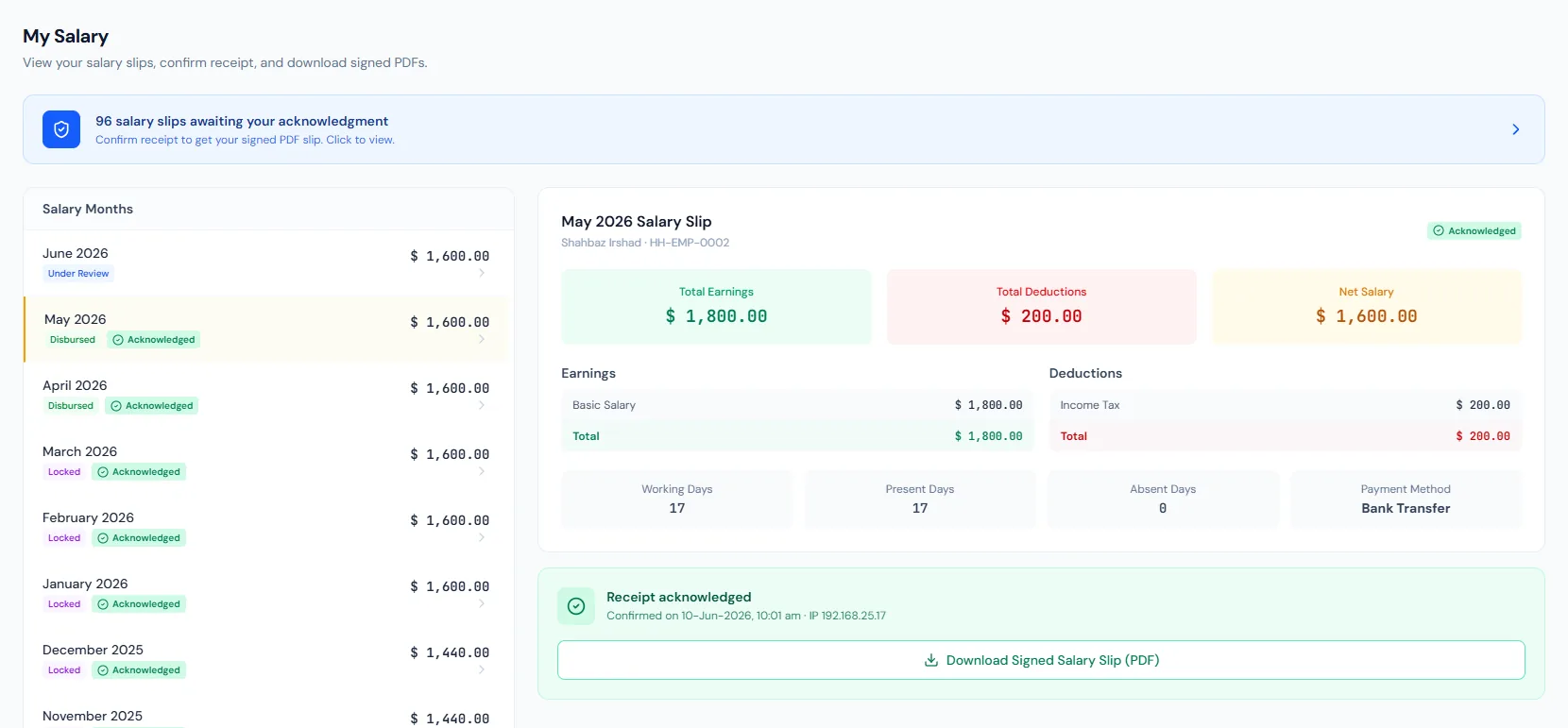
Open featureMonth selector, earnings and deductions, salary status, acknowledgment and secure PDF download.
Open featureView personal HR documents and file history from the portal, kept current by HR.
Open featureActive and historical company-issued assets visible from the employee portal.
Open featureCompany updates, important notices and employee-facing communication in the portal feed.
Open featureTwelve built-in badges across four rarity tiers with automatic evaluation and manual awards.
Open featureAutomatic email notifications for approvals, payroll, contracts, badges and reminders.
Open feature25+ portal pages cover dashboard stats, badge showcase, leave applications, salary slips, loans, documents, contracts, announcements, holidays and profile controls — everything an employee needs day to day.
Employees only ever see their own records — the portal is built so personal data stays personal, without granting anyone admin-level access.
New employees set a password, accept their agreement, move to active status, receive pro-rata leave allocations and earn the First Day badge automatically.
Pending requests, holidays, announcements, attendance rate, leave balance and latest salary status stay visible where employees already work.
Map employee access to the right portal pages, permissions, activation flow and rollout plan.
Employees get one place to check attendance, leave balances, payslips and announcements, so HR fields fewer routine status questions every week.
Employees view salary slips, acknowledgments and loan context in the portal without asking finance for every detail.
Leave requests and profile verification run inside the portal, so employees submit, track and correct their own information with clear status.
Badges and announcements make the portal useful beyond transactions — staff see recognition, holidays and important notices as soon as they log in.
Employees only ever see their own records, and department heads still get team context without opening the full admin panel.
Self-Service covers the employee portal, dashboard, profile, leave requests, attendance view, payslip access, documents, assets, announcements, badges and email alerts.
The employee workspace has 25+ pages: employees check attendance, apply for leave, download salary slips, review loans, documents, assets and contracts, read announcements and holidays, and manage their own profile.
No. Employee accounts land in the employee workspace, and every portal page only ever shows the employee their own records.
A new employee can view and accept the contract, but attendance, leave, salary and other portal features stay locked until activation.
Yes. The dashboard shows all 12 badges, with earned badges highlighted and locked badges shown as goals with hover details.