
Personal
Own employee recordThe profile summarizes core employee and employment data without exposing admin-only fields.
- EmployeeJessica Walker
- DepartmentOperations
- StatusActive
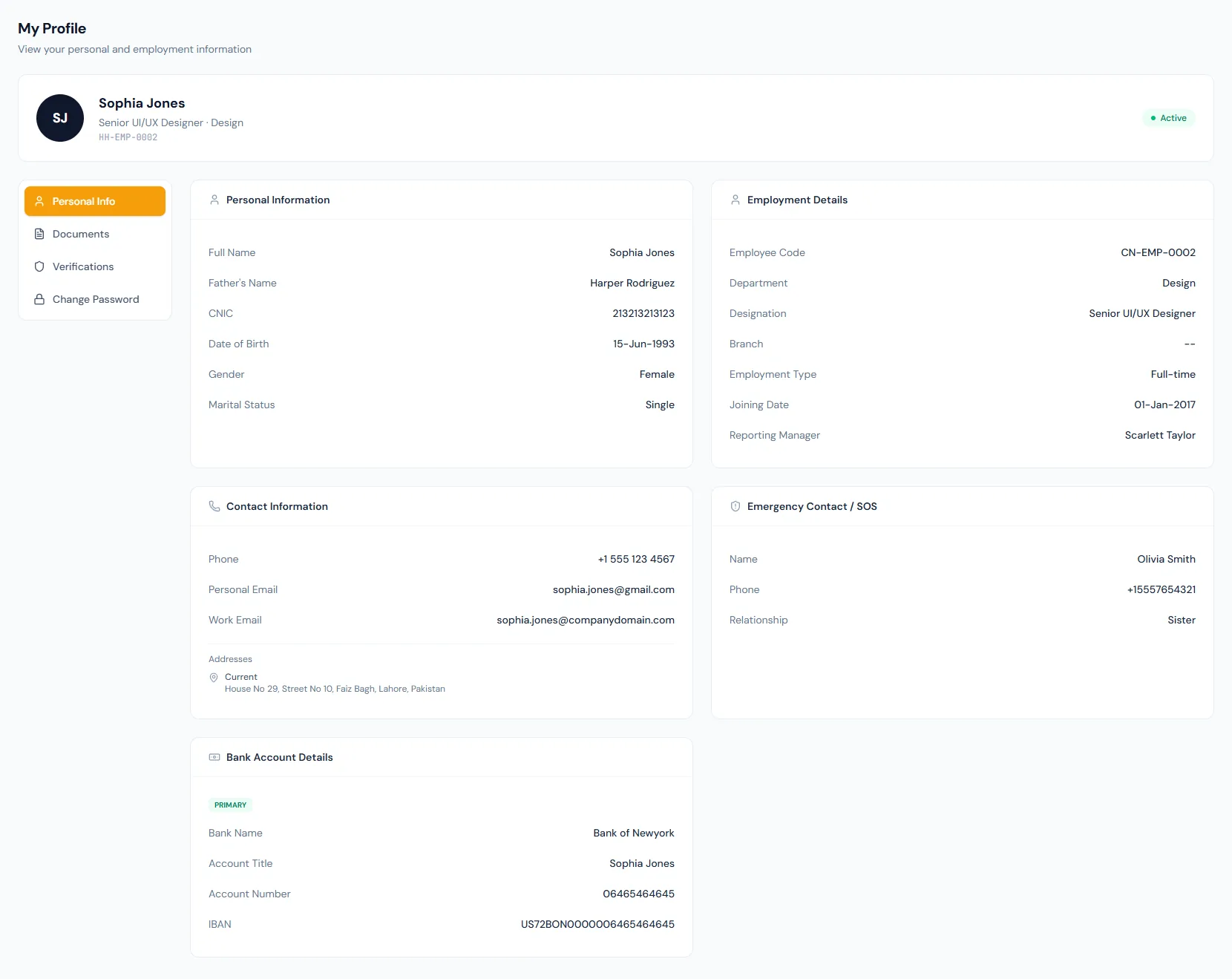
Allow employees to review personal, employment, document and verification data across four profile tabs, with bank details shown safely and address verification always visible.
Every view stays structured and reviewable — nothing hides behind a tab.
The profile summarizes core employee and employment data without exposing admin-only fields.
Employees can see whether address, mobile and emergency contact verification is complete.
The primary bank account panel shows the bank with a masked account number and IBAN.
The portal can remind employees to verify address details inside the configured window.
Allow employees to review personal, employment, document and verification data across four profile tabs, with bank details shown safely and address verification always visible.
Employees can confirm their name, contact details, department, designation and reporting context in a read-only profile tab; edits go through the shared account area.
Address, mobile and emergency contact verification status can be shown clearly.
An employments tab lists the person's memberships across every company they belong to.
Employees can inspect the HR record HR keeps for them.
Profile, employments, documents and verifications each have their own tab.
Address and contact verification states are easy to understand.
Password changes live in the shared account area that follows the person across companies, not inside the portal profile.
Employees see their own record, not peer information.
The primary bank account is visible with sensitive numbers masked.
Allow employees to review personal, employment, document and verification data across four profile tabs, with bank details shown safely and address verification always visible.
No. The portal profile is read-only; personal edits are made in the shared account area and can route through HR review.
Address, mobile and emergency contact checks can be shown.
No. It is scoped to the signed-in employee.
Map your current workflow to the right HRM setup, permissions and rollout plan.