
Allow employees to view their payroll slips, review earnings and deductions, acknowledge receipt after payment, download signed PDFs and browse their salary history from the portal.
01Select monthPayslip Access process stepActive
02Review slipPayslip Access process stepActive
03Acknowledge receiptPayslip Access process stepActive
Allow employees to view their payroll slips, review earnings and deductions, acknowledge receipt after payment, download signed PDFs and browse their salary history from the portal.
Allow employees to view their payroll slips, review earnings and deductions, acknowledge receipt after payment, download signed PDFs and browse their salary history from the portal.
Salary slips appear as soon as the payroll entry is processed, from every run.
Earnings, deductions, net salary, employer contributions and notes are visible in one salary view.
Once a slip is paid, the employee acknowledges it in the portal — with the address on record — and receives the e-signature-stamped PDF by email.
The Payslip Access page lets employees review approved salary slips, check earnings and deductions, acknowledge receipt and download official payslip PDFs.
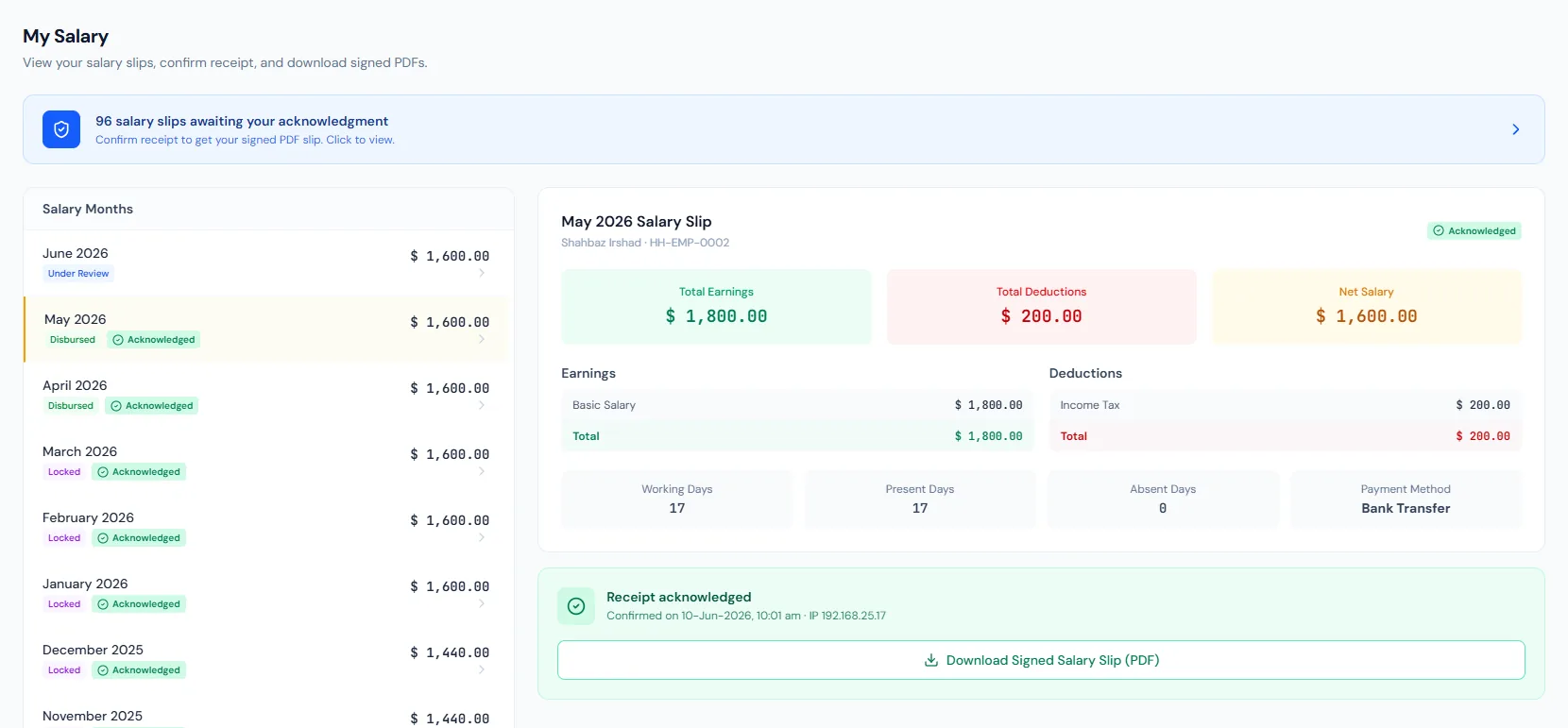
Every view stays structured and reviewable — nothing hides behind a tab.
Employees can browse salary slips by pay period.
The slip presents earnings, deductions, net salary and employer contributions.
For paid slips, acknowledgment is the gate to the PDF, so HR knows the employee received their pay record.
After acknowledging, the employee gets the e-signature-stamped slip PDF, and reminder emails nudge anyone who has not acknowledged.
Employees can browse slips from every processed run across periods.
A user can access only their own slips.
Slip details explain gross, tax, deductions and net pay.
Receipt acknowledgment is stored for audit, and the signed PDF is emailed on acknowledgment.
Employees download their own annual tax certificates from the portal.
Issued HR letters and letter requests — with cancellation — sit beside the salary pages.
As soon as the payroll entry is processed — slips from every run appear in the portal.
Yes. For paid slips, acknowledging in the portal is what releases the e-signature-stamped PDF.
No. Payslip access is scoped to the signed-in employee.
Map your current workflow to the right HRM setup, permissions and rollout plan.