
Let employees view leave balances, choose eligible leave types, upload supporting files, submit applications, track approval status and cancel pending requests from self-service.
Let employees view leave balances, choose eligible leave types, upload supporting files, submit applications, track approval status and cancel pending requests from self-service.
Balance cards show accrued, carry-forward, encashed, used and remaining leave — including monthly accrual growth — before applying.
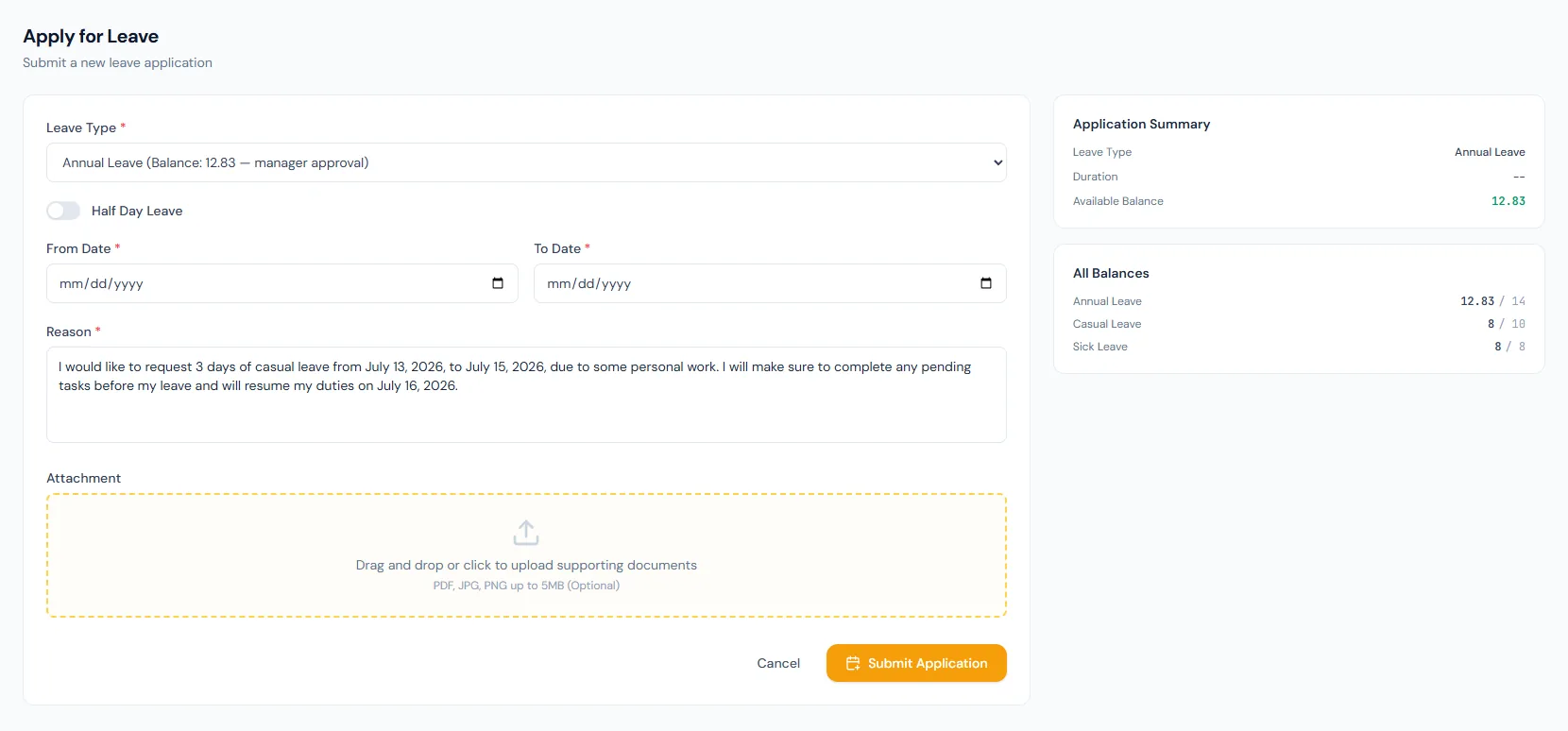
Leave type, dates, half-day, reason and attachment fields make requests complete.
Submitted applications show pending, approved, rejected or cancelled states.
The Leave Requests page lets employees review balances, submit leave applications, attach supporting files and track approval status from the self-service portal.
Employees know available leave before they apply, and each card opens a summary of that leave type's policy rules.
The dropdown can hide leave types the employee cannot use.
Medical or supporting files can be attached when needed.
Overlaps, past dates and insufficient balances are prevented.
Employees can track request status.
Pending requests — and approved leave that has not started yet — can be cancelled by the employee, with the balance refunded.
Let employees view leave balances, choose eligible leave types, upload supporting files, submit applications, track approval status and cancel pending requests from self-service.
Every view stays structured and reviewable — nothing hides behind a tab.
Leave type cards show what the employee can use in the current fiscal year.
Employees submit dates, duration, reason and optional attachments.
The portal can block overlaps, insufficient balance, ineligible types and invalid date windows.
Employees can follow the review of each request and cancel when plans change.
Yes. Half-day leave is supported when policy allows it.
Yes, as long as the leave has not started — cancelling refunds the balance and records the reason.
Yes. Eligibility and accrued balance checks are part of the portal flow.
Map your current workflow to the right HRM setup, permissions and rollout plan.