

"Organization setup is where HRM starts to feel connected. Branches, departments, designations and fiscal controls give every downstream workflow a reliable structure. Our HR, payroll and reporting teams now work from the same company foundation, so approvals, employee changes and finance reviews move with far fewer manual checks."
Company structure software for clean HR operations.
Operentra HRM gives teams a controlled foundation for company profile, branches, departments, pay grades, designations, fiscal years, bank accounts and system-wide settings.

Build every HR workflow on structured company data.
Set up the core records once, then let employee records, payroll, attendance, documents and reports inherit clean organizational context.

Give HR, payroll and reporting one shared setup layer.
Company profile, branches, departments, pay grades, designations, employment types, fiscal years, bank accounts and system settings keep admin work consistent across the complete HRM platform.
- Clean employee assignment and reporting hierarchy
- Payroll, tax and finance context from fiscal controls
- System-wide defaults for consistent operations
Nine setup areas that keep HRM aligned.
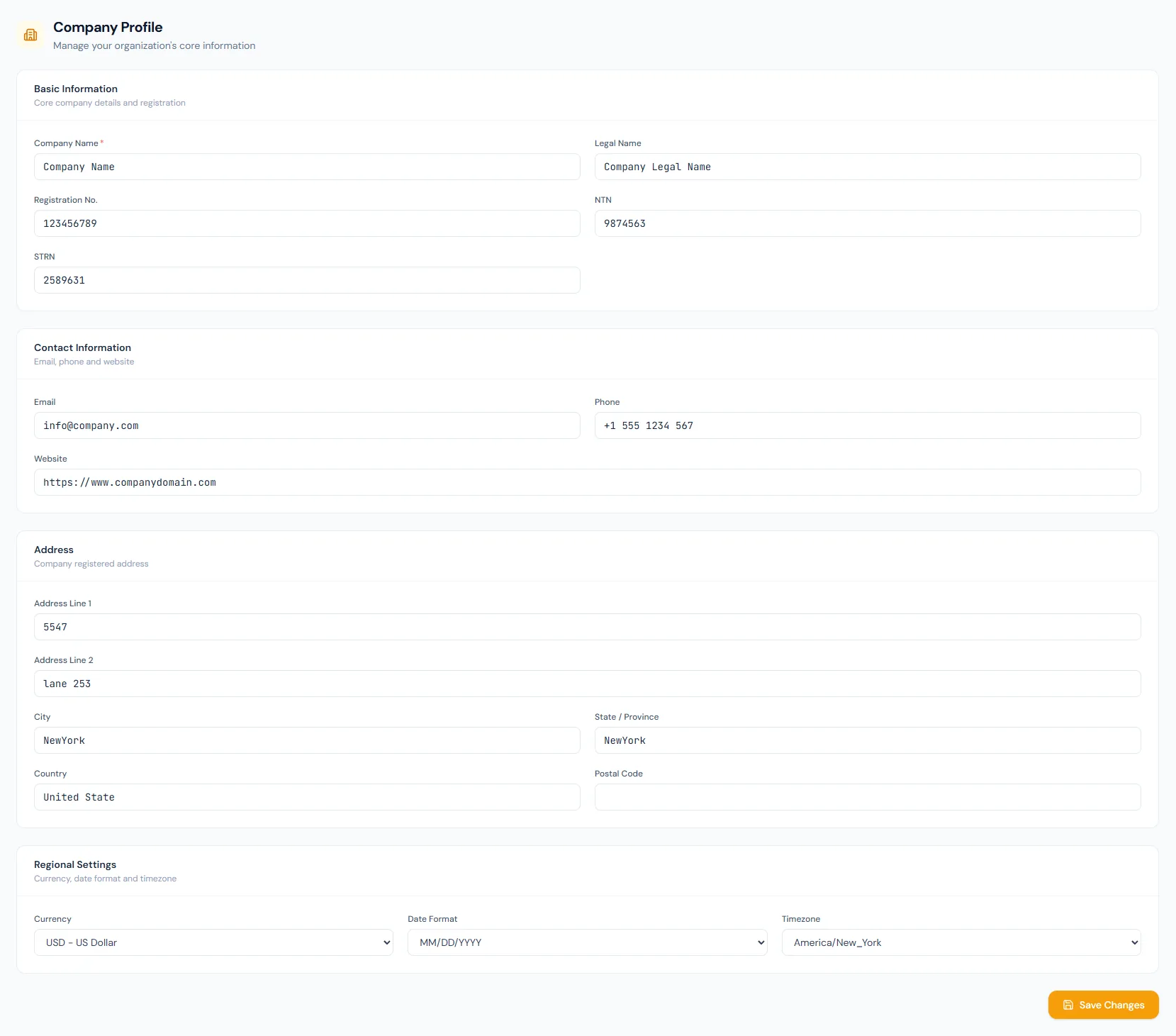
Company Profile
Manage legal name, registration, NTN, contact details, address and regional settings.
Branches
Create branch offices with code, city, phone, type and active status for location-aware HR.
Departments
Build department structure with codes, parent fields, employee counts and status.
Pay Grades
Define salary bands with minimum and maximum ranges for compensation control.
Designations
Maintain job titles, short codes and hierarchy levels for employee assignment.
Employment Types
Classify contract, full-time, probation, intern and residential employment categories.
Fiscal Years
Control financial periods with start date, end date, current marker and status.
Bank Accounts
Store payroll banking records, account titles, account numbers, IBAN and account type.
System Settings
Configure date format, employee code digits, prefixes, timezone and payroll defaults.
See how Organization fits your HR operation.
Map your current company structure to the right HRM setup, permissions and rollout plan.
What HR and finance teams value in Organization.
Operentra HRM gave our HR team one reliable place for company structure, branches, departments and payroll-ready setup. New employees now start with clean reporting and designation data.
The fiscal year, bank account and system settings controls removed a lot of manual checks between HR and finance. Our monthly payroll review is much easier to reconcile.
Departments, designations and employment types are simple for admins to maintain, but detailed enough for reporting, permissions and employee lifecycle workflows.
Our admin team can update branches, departments and employment types without waiting on spreadsheets. The data is immediately useful in employee records and reports.
System settings and fiscal year controls helped us standardize HR operations across locations. It is easier to audit company data and keep payroll aligned.
Organization FAQs
Organization covers company profile, branches, departments, pay grades, designations, employment types, fiscal years, bank accounts and system settings.
Fiscal years, bank accounts, pay grades, designations and company defaults provide the structure payroll and tax workflows need for accurate processing.
Yes. Branch, department, designation and employment type records give employee reports, payroll reports and access-scoped views clean grouping data.
System settings control organization-wide defaults such as date format, employee code pattern, timezone and payroll-related behavior.
Pay grades define compensation ranges while designations define role titles, short codes and hierarchy levels used across employee records, payroll context and reports.
Yes. HR and finance teams can maintain company bank accounts, active fiscal years, current periods and status controls so payroll and reporting use the right financial setup.