
Employment category
Keep standard types such as Contract, Full-time, Permanent, Probation, Part-time and Intern.
Define employment categories including contract, full-time, part-time, probation, intern and residential live-in roles with descriptions and perk indicators.
Regular employment categories support everyday HR classification.
Define employment categories including contract, full-time, part-time, probation, intern and residential live-in roles with descriptions and perk indicators.
Keep standard types such as Contract, Full-time, Permanent, Probation, Part-time and Intern.
Mark live-in positions such as Driver, Guard and Office Boy with residential context.
Show stay and meals where the employment category includes residential benefits.
The Employment Types page from HRM separates standard, probation, intern and residential live-in categories with clear descriptions.
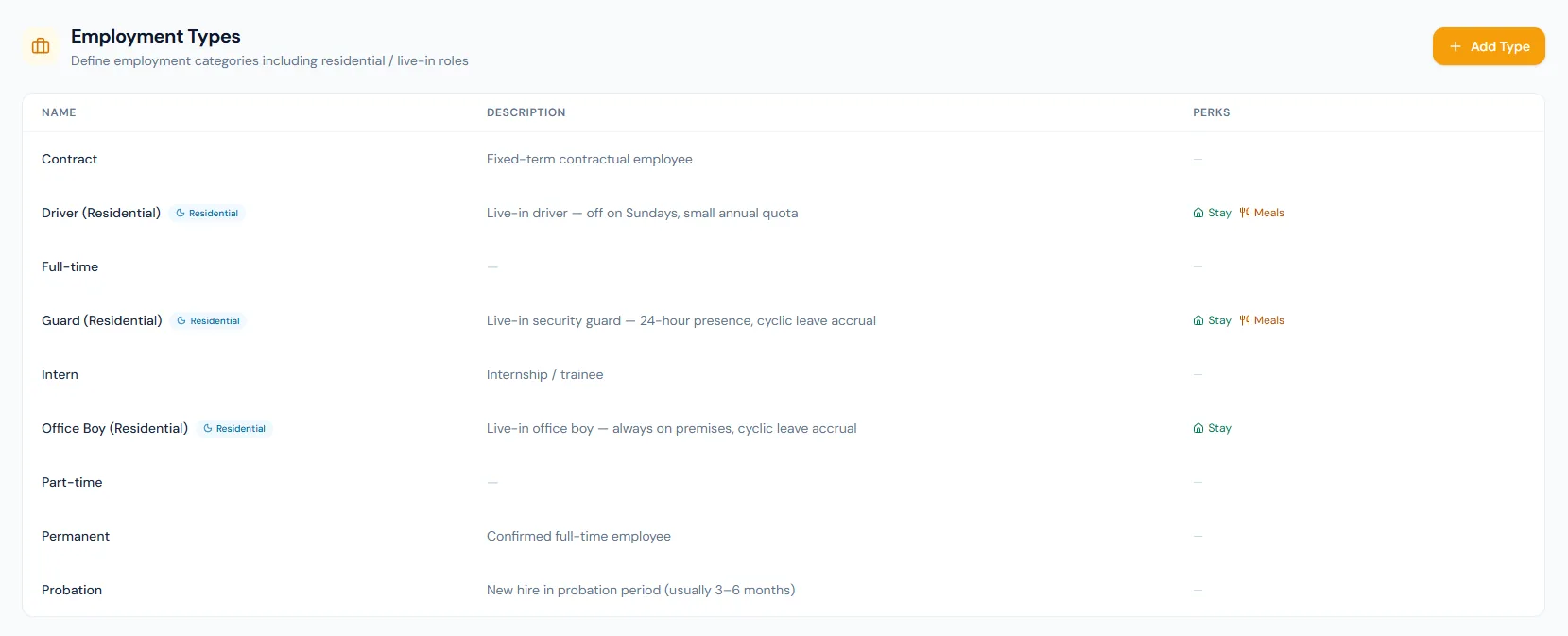
The page shows name, description and perks in a focused setup table.
Live-in positions can be clearly marked, with accommodation and meals stored as separate flags.
Leave policies can be restricted to specific employment types.
Job openings carry an employment type so hiring matches the classification.
Types help profile and payroll rules understand employment context.
Descriptions document expectations for each category.
Define employment categories including contract, full-time, part-time, probation, intern and residential live-in roles with descriptions and perk indicators.
Choose a view to see how this module keeps daily HR work structured and reviewable.
Regular employment categories support everyday HR classification.
Values remain traceable in HRM.Shared context keeps this workflow aligned with employees records.
ConnectedShared context keeps this workflow aligned with contracts records.
ConnectedShared context keeps this workflow aligned with leave records.
ConnectedShared context keeps this workflow aligned with payroll records.
ConnectedShared context keeps this workflow aligned with reports records.
ConnectedContract, residential roles, full-time, intern, part-time, permanent and probation examples are shown.
Yes. Residential badges and Stay/Meals perks are visible.
They give HR, payroll and policy workflows a consistent employee classification.
Map your current workflow to the right HRM setup, permissions and rollout plan.