
Maintain the legal company name, registration details, NTN, contact information, address and regional defaults used across HR letters, contracts, payroll and employee records.
01Add legal identityCompany Profile process stepActive
02Save contact channelsCompany Profile process stepActive
03Confirm addressCompany Profile process stepActive
Maintain the legal company name, registration details, NTN, contact information, address and regional defaults used across HR letters, contracts, payroll and employee records.
Store company and legal names, registration number, NTN and STRN fields for official HRM output.
Keep email, phone and website values available for documents, letters and employee communication.
Maintain registered address, city, province, country, postal code, currency, date format and timezone.
Choose a view to see how this module keeps daily HR work structured and reviewable.
Company and legal names anchor contracts, letters and payroll documents.
Values remain traceable in HRM.The Company Profile page from the HRM app organizes identity, registration, contact, address and regional values into editable sections.
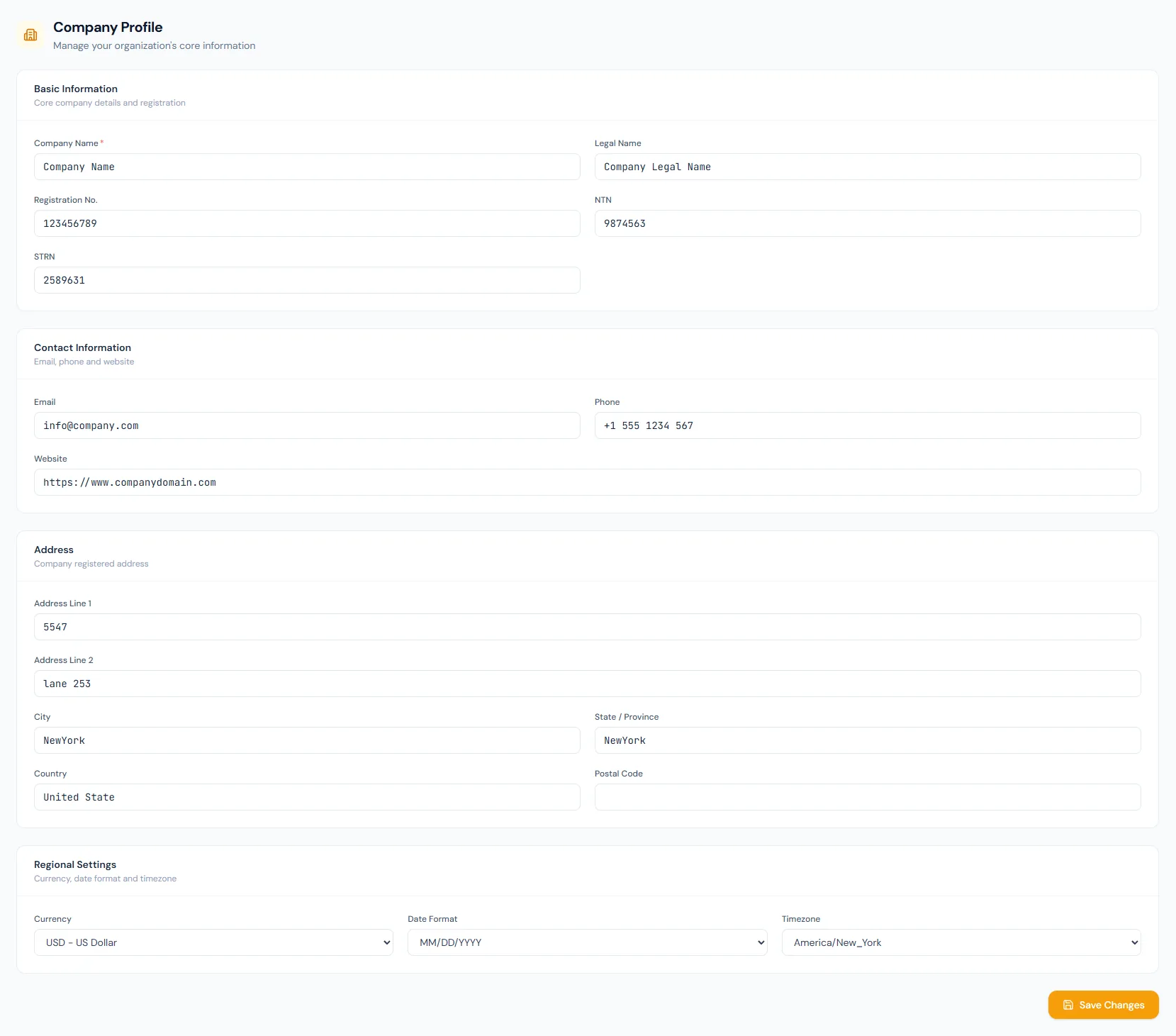
Capture registration and tax identifiers beside the display name.
Profile details can populate HR letters, contracts and official PDFs.
Company logo, app logo, favicon and seal are uploaded here and reused everywhere.
The national ID label follows the company country — CNIC, Emirates ID, NI number, SSN, Aadhaar, TFN, IRD number, NRIC, TIN and more.
Date format and timezone are editable; country and currency stay locked after signup.
Changing the timezone moves every scheduled automation to the new local time immediately.
Maintain the legal company name, registration details, NTN, contact information, address and regional defaults used across HR letters, contracts, payroll and employee records.
Shared context keeps this workflow aligned with HR letters records.
ConnectedShared context keeps this workflow aligned with contracts records.
ConnectedShared context keeps this workflow aligned with payroll records.
ConnectedShared context keeps this workflow aligned with documents records.
ConnectedShared context keeps this workflow aligned with employees records.
ConnectedLegal identity, registration numbers, contact details, registered address and regional defaults.
Official documents, letters, contracts, payroll outputs and company-facing HRM screens can use it.
Date format and timezone can be changed here. Country and currency are set at signup and stay read-only because tax rules, holidays and banking depend on them.
Map your current workflow to the right HRM setup, permissions and rollout plan.