
Store recommended increments or promotion notes on finalized appraisals and optionally queue salary increment records for HR approval in payroll.
Increment flow
Store recommended increments or promotion notes on finalized appraisals and optionally queue salary increment records for HR approval in payroll.
HR can add increment or promotion recommendations while finalizing an appraisal.
When enabled, the recommendation creates a pending SalaryIncrement row instead of changing salary directly.
Payroll HR reviews and approves the increment before it affects compensation.
The Increment Records page helps HR review appraisal-linked salary increment recommendations before routing approved changes through the payroll increment flow.
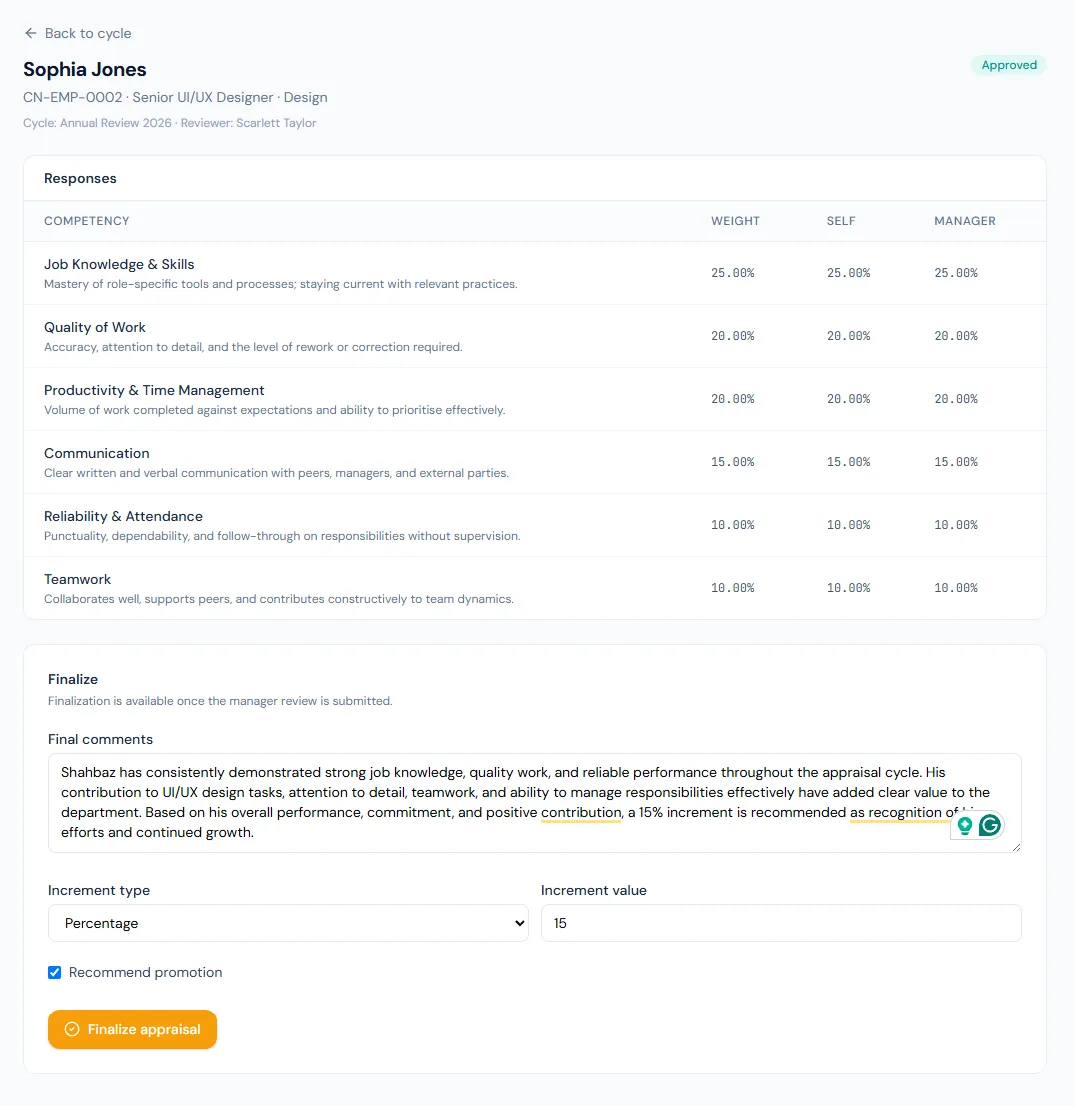
Finalized appraisals can carry a proposed salary increase.
A recommended promotion can name the target designation for HR planning.
Approved configuration can send increments to payroll review.
The system proposes and queues; it does not silently change salary.
The handoff reads the active salary assignment before calculating the new value.
The queued row is dated the day it is created; the effective date is settled later in payroll approval.
A finalized appraisal can carry a recommended increment. Whether that recommendation becomes a payroll record is one switch, and the switch ships off — so a company can run appraisals for a year without a single automatic change to anyone's salary.
Switched on, it is still safe to finalize twice: the increment is tagged with the appraisal it came from, and a second run finds the existing row and stops.
Choose a view to see how this module keeps daily HR work structured and reviewable.
Increment value can be stored as part of the finalized appraisal.
Values remain traceable in HRM.Shared context keeps this workflow aligned with appraisals records.
ConnectedShared context keeps this workflow aligned with payroll processing records.
ConnectedShared context keeps this workflow aligned with salary structures records.
ConnectedShared context keeps this workflow aligned with payroll approvals records.
ConnectedShared context keeps this workflow aligned with performance tracking records.
ConnectedNo. We recommend keeping it off until the process has earned trust.
No. It creates a pending payroll increment for approval.
The employee is skipped and a warning is logged.
Map your current workflow to the right HRM setup, permissions and rollout plan.