
Manage end-to-end appraisal cycles with weighted competency templates, self review, manager review, HR finalization, recommended increments and verification-ready PDF output.
01Configure settingsAppraisals process stepActive
02Create templateAppraisals process stepActive
03Open cycleAppraisals process stepActive
Six statuses, each owned by exactly one party. The appraisal moves down the lanes as it changes hands, and nobody can work on it out of turn — which is what stops a manager quietly editing a self-assessment, or HR closing a review the manager has not finished.
pendingEmployeeSelf reviewself_in_progressEmployeeSubmittedself_doneEmployeeManager reviewmanager_in_progressManagerManager donemanager_doneManagerFinalizedfinalizedHRFinalizing refuses unless the appraisal sits at exactly manager_done. There is no way to skip a lane.
Manage end-to-end appraisal cycles with weighted competency templates, self review, manager review, HR finalization, recommended increments and verification-ready PDF output.
HR configures cadence, rating scale and self or manager review behavior before rollout.
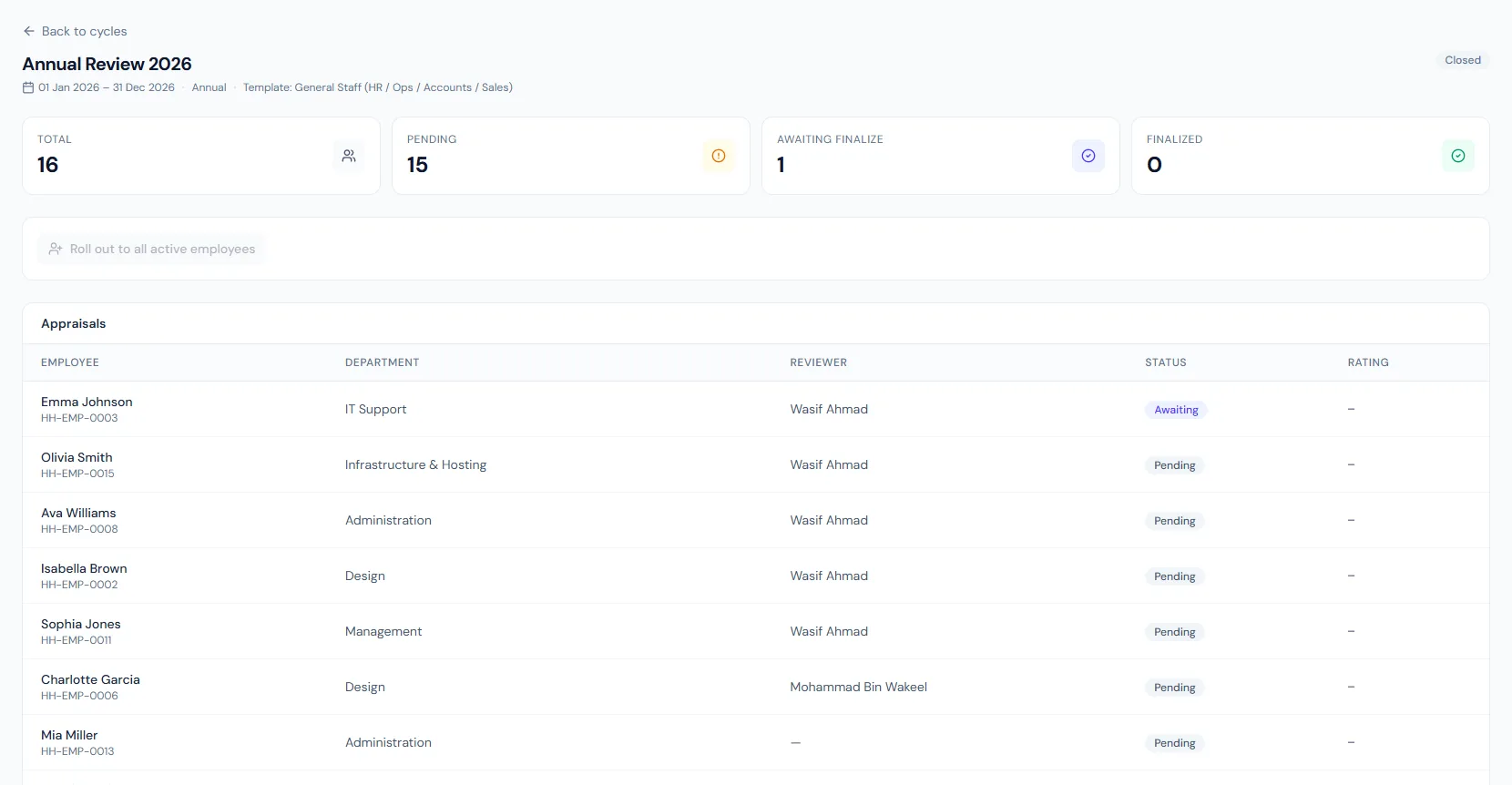
Each cycle creates one appraisal per enrolled employee — all active staff by default unless a specific list is chosen — and assigns the reporting manager as reviewer.
HR reviews responses, adds final comments and issues a signed PDF with optional increment recommendation.
The Appraisals page helps HR run formal performance reviews with weighted templates, self and manager input, finalization, PDF output and payroll increment handoff.
Choose a view to see how this module keeps daily HR work structured and reviewable.
Cadence, rating scale and payroll auto-flow are configured per company.
Values remain traceable in HRM.Competency templates can be cloned, edited and reused across cycles.
Separate cycles can run for engineers, managers and general staff during the same period.
Each appraisal moves from pending through self review in progress and done, manager review in progress and done, to finalized.
A scheduled automation opens a probation review 30 days before the probation end date using the built-in Probation template.
Finalized appraisals can export a PDF with a public verification QR.
Recommended increments can flow into payroll increments for human approval.
Shared context keeps this workflow aligned with appraisals records.
ConnectedShared context keeps this workflow aligned with performance tracking records.
ConnectedShared context keeps this workflow aligned with merit evidence records.
ConnectedShared context keeps this workflow aligned with payroll records.
ConnectedShared context keeps this workflow aligned with badges & rewards records.
ConnectedYes. Different role families can use different templates in the same period.
Yes. HR adds final comments, rating and optional increment or promotion recommendation.
It can create a pending increment row, but HR still approves it in payroll.
Map your current workflow to the right HRM setup, permissions and rollout plan.