
Record approved bonuses, additions and deductions for a specific employee and month, then consume them during payroll processing with a clear paid-in-run audit trail.
Choose a view to see how this module keeps daily HR work structured and reviewable.
Approved additions increase the employee's payroll output for the month.
Values remain traceable in HRM.The Payroll Adjustments page from HRM helps teams record approved additions, deductions and bonuses for a selected payroll period without changing salary history.
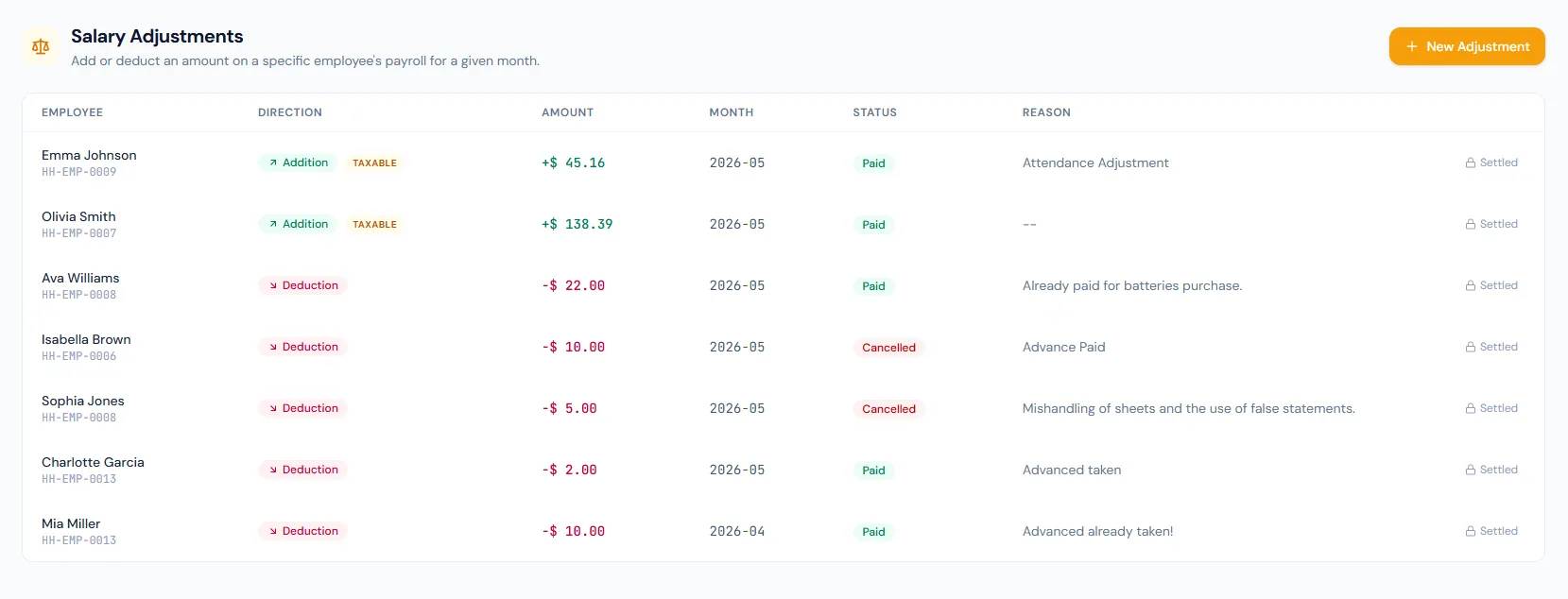
Record approved bonuses, additions and deductions for a specific employee and month, then consume them during payroll processing with a clear paid-in-run audit trail.
A one-time row stores employee, month, direction, amount and reason, created ready to apply.
Positive bonus rows can be included in the selected payroll period.
After a run locks, consumed rows cannot be edited or applied again.
Corrections can increase or reduce the month's pay.
Bonuses are tracked as their own records with a dedicated payroll line, separate from base salary.
Adjustments are created ready to apply — they can be edited, cancelled or deleted any time before the run locks.
Approved expense claims and final settlements create their adjustments automatically.
Taxable additions can feed the taxable base when configured.
Rows stamped to a locked run cannot be edited, deleted or consumed again.
Record approved bonuses, additions and deductions for a specific employee and month, then consume them during payroll processing with a clear paid-in-run audit trail.
Shared context keeps this workflow aligned with payroll processing records.
ConnectedShared context keeps this workflow aligned with salary slips records.
ConnectedShared context keeps this workflow aligned with tax management records.
ConnectedShared context keeps this workflow aligned with employees records.
ConnectedShared context keeps this workflow aligned with reports records.
ConnectedNo. It is for one-time payroll corrections or additions.
Only before the run locks — locking stamps the row to that run permanently.
Yes. Bonus rows are consumed by payroll for the selected month.
Map your current workflow to the right HRM setup, permissions and rollout plan.