
Handle employee loan applications, approvals, installment schedules, outstanding balances and automatic monthly payroll deductions.
Loans
Choose a view to see how this module keeps daily HR work structured and reviewable.
Loan requests stay reviewable before becoming payroll-impacting debt, and can be rejected.
Values remain traceable in HRM.The Loans page from HRM helps teams manage employee loan requests, approval, disbursement, installment schedules and payroll deduction history.
Personal, emergency, car or house-style loan types can be maintained.
Per-type limits, including a maximum number of active loans, gate new applications.
Employees can apply for loans from the portal.
Installments are generated from amount, tenure and interest rules.
Installments are claimed at processing and settled at lock, so a recalculated run never double-deducts.
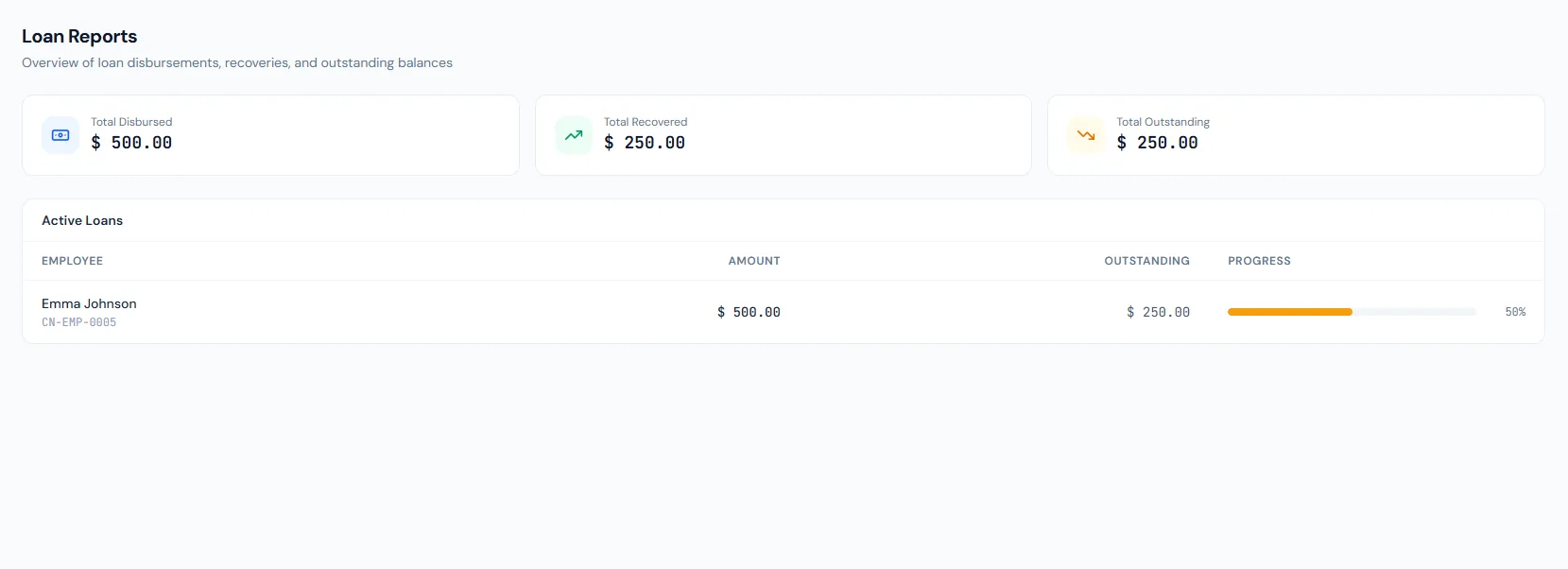
Open exposure per employee is visible in loan reporting.
Outstanding balances can reduce final settlement.
Handle employee loan applications, approvals, installment schedules, outstanding balances and automatic monthly payroll deductions.
Employees apply from the portal, or admins create loan requests, with amount, type and tenure.
Approving a pending loan makes it active immediately — there is no separate payout step to forget.
The system generates due installments and links paid installments to payroll entries.
Handle employee loan applications, approvals, installment schedules, outstanding balances and automatic monthly payroll deductions.
Shared context keeps this workflow aligned with payroll processing records.
ConnectedShared context keeps this workflow aligned with final settlement records.
ConnectedShared context keeps this workflow aligned with employees records.
ConnectedShared context keeps this workflow aligned with reports records.
ConnectedShared context keeps this workflow aligned with dashboard records.
ConnectedDuring payroll processing when an active loan has an installment due in exactly that month.
Yes — pausing skips the remaining installments permanently; the skipped months are not re-collected later.
Outstanding loan balances can be included in final settlement.
Map your current workflow to the right HRM setup, permissions and rollout plan.