
Record employee clock-in and clock-out events from biometric devices, GPS punches on Enterprise and a secure punch feed so daily attendance, working time, late arrival, missing checkout and overtime calculations have a reliable event source.
Record employee clock-in and clock-out events from biometric devices, GPS punches on Enterprise and a secure punch feed so daily attendance, working time, late arrival, missing checkout and overtime calculations have a reliable event source.
Punches come from synced biometric devices or a secure punch feed for your own systems — the portal shows the record read-only, with a regularization form for corrections.
The day pairs the first arrival with the last departure, with a per-device option to honor explicit in/out flags.
Missing, late or out-of-window punches can be reviewed.
The Clock In / Clock Out page from HRM records employee punch activity so daily attendance, missing punches, worked time and payroll context stay reliable.
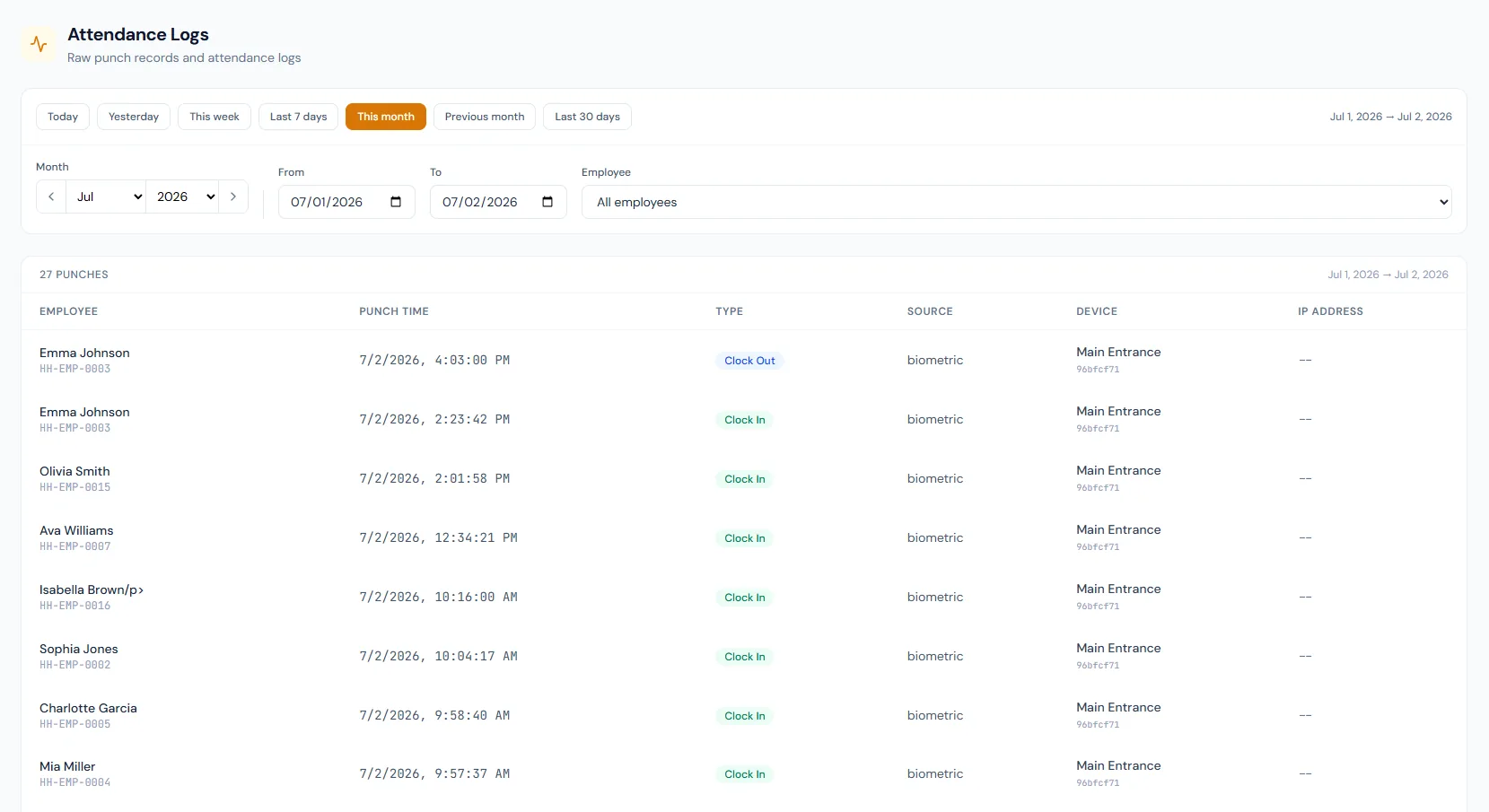
Record employee clock-in and clock-out events from biometric devices and a secure punch feed so daily attendance, working time, late arrival, missing checkout and overtime calculations have a reliable event source.
Choose a view to see how this module keeps daily HR work structured and reviewable.
Clock-in records when the employee begins work.
Values remain traceable in HRM.Clock-in/out creates a clear time trail.
Reminder emails go out around shift start and end at a configurable offset — never duplicated, and skipped on leave, holidays and exempt shifts.
First-in/last-out pairing keeps multi-punch days sane, with per-device in/out flag support.
Cross-midnight shifts calculate on absolute timestamps, so night crews are never shortchanged.
Worked hours provide overtime context.
Employees see their punches in the portal. On Enterprise they can also clock in and out from it when they are inside a site you defined; otherwise the view stays read-only and corrections go through regularization.
Shared context keeps this workflow aligned with attendance tracking records.
ConnectedShared context keeps this workflow aligned with GPS attendance records.
ConnectedShared context keeps this workflow aligned with biometric devices records.
ConnectedShared context keeps this workflow aligned with shifts records.
ConnectedShared context keeps this workflow aligned with late & overtime rules records.
ConnectedBoth events are needed for complete worked-hour and exception review.
On Enterprise, yes — GPS attendance lets an assigned employee clock in from the portal while they are physically inside a site you defined. Otherwise punches come from devices or the secure feed and the portal stays read-only, with a regularization form for corrections.
Yes. Biometric devices can feed punch activity.
Map your current workflow to the right HRM setup, permissions and rollout plan.