
Authenticate
Validate identity with secure sign-in sessions — with authenticator-app two-factor verification, per user or required workspace-wide — before any protected access begins.
Operentra HRM protects workforce data with users, roles, permissions, two-factor authentication, server-enforced access checks, audit logs, login history, document access rules, backups, health checks and administration safeguards.
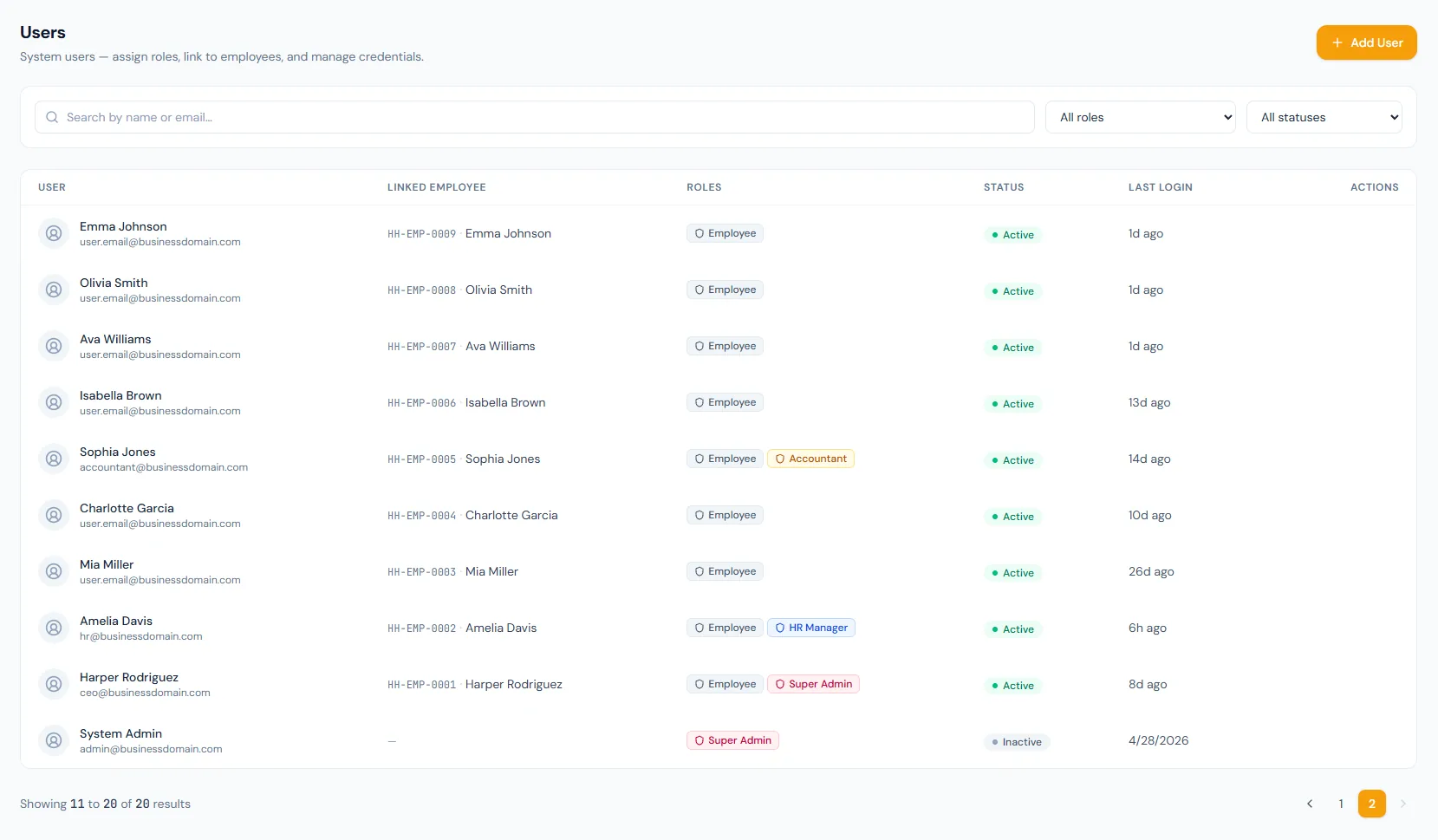
Security turns platform access into a defensible workflow: user setup, role assignment, permission checks, document access control, audit review, login monitoring, admin safeguards and maintenance operations.
The Security module connects authentication, role assignment, permission guards, audit history, document rules, admin controls and platform maintenance so every sensitive HRM action has a clear control point.
Validate identity with secure sign-in sessions — with authenticator-app two-factor verification, per user or required workspace-wide — before any protected access begins.
Attach one or more company-scoped roles to each user so access follows job responsibility.
Every action is enforced on the server, while the interface hides controls a user is not allowed to use.
Inspect audit logs, login history, email logs and SMS logs for operational and security accountability.
Manage backups, health checks, SMS gateways, system roles and high-impact administration settings.
Manage HRM users, roles and permissions from one governed access console.
Open featureCombine role assignments into effective permissions for every signed-in user.
Open featureCreate users, link employees, reset passwords and assign one or more roles.
Open featureOrganize module permissions into grouped role sets with clear select-all controls.
Open featureReview entity changes, administrative actions, email logs and SMS logs.
Open featureTrack sign-ins, sign-outs, failed attempts, workspace switches and impersonation.
Open featureControl who can view, upload and verify employee document records.
Open featureProtect critical settings, super-admin access, role changes and impersonation.
Open featureOperate audit, backups, health checks, SMS gateway and platform services.
Open featureConfigure backup schedules, destinations, restore checks and service health.
Open featureUsers receive roles, roles contain permissions, and every protected action checks the signed-in user's permissions before access is allowed — easy to explain, safe to maintain.
Secure sign-in sessions and server-side permission checks work together, so even controls hidden in the interface stay enforced behind the scenes.
Business audit logs, login activity, email logs and SMS logs preserve operational evidence for sensitive account and record changes.
System roles, super-admin continuity, backups, health checks and SMS configuration stay behind deliberate administration controls.
Map user roles, permission groups, audit review, document access and administration controls to your HRM rollout.
HR, payroll, department head and employee access stay cleanly separated — a role model that is easy to explain and safe to maintain.
Accounts can be deactivated, passwords reset and history preserved from one place, without losing audit context.
Audit logs and login activity make sensitive changes easy to review — teams can see who accessed the platform and what changed.
Permission groups make it possible to build focused custom roles without scanning a flat list, keeping access reviews fast.
Backups, health checks and logs live in the same operational layer, giving IT and HR a clear shared support path.
Security covers access control, users, roles, permissions, permission groups, two-factor authentication, audit logs, login activity, document access rules, admin controls, system administration and maintenance settings.
Yes, on every plan. Users enroll any TOTP authenticator app (Google Authenticator, Authy, 1Password) and receive one-time recovery codes. Admins can require two-factor authentication for the whole workspace — unenrolled members are walked through setup at their next sign-in — and can reset it for a member who lost their device. Every 2FA event is recorded in the login audit trail.
Users receive roles, roles contain permissions, and every protected action checks the signed-in user's combined permissions before allowing access.
Yes. A user gets the combined permissions of every role assigned to them.
Yes. The six built-in system roles are locked end to end — they cannot be edited or deleted. To tailor access, create a custom role with exactly the permissions you need.
Security administration can review business audit logs, login activity, email logs, SMS logs, backups and service health checks.