
Review authentication activity including sign-ins, failed attempts, sign-outs, workspace switches and impersonation so administrators can spot suspicious or support-related access.
Auth logs
Every view stays structured and reviewable — nothing hides behind a tab.
Successful access records user and timing information.
Failed attempts are recorded, and five in a row lock the account until a successful sign-in clears it.
Moving between company workspaces is recorded as its own event.
Impersonation events show support access and actor context.
The Login Activity page helps administrators review sign-in, failed sign-in, sign-out, workspace switch and impersonation events for account security monitoring.
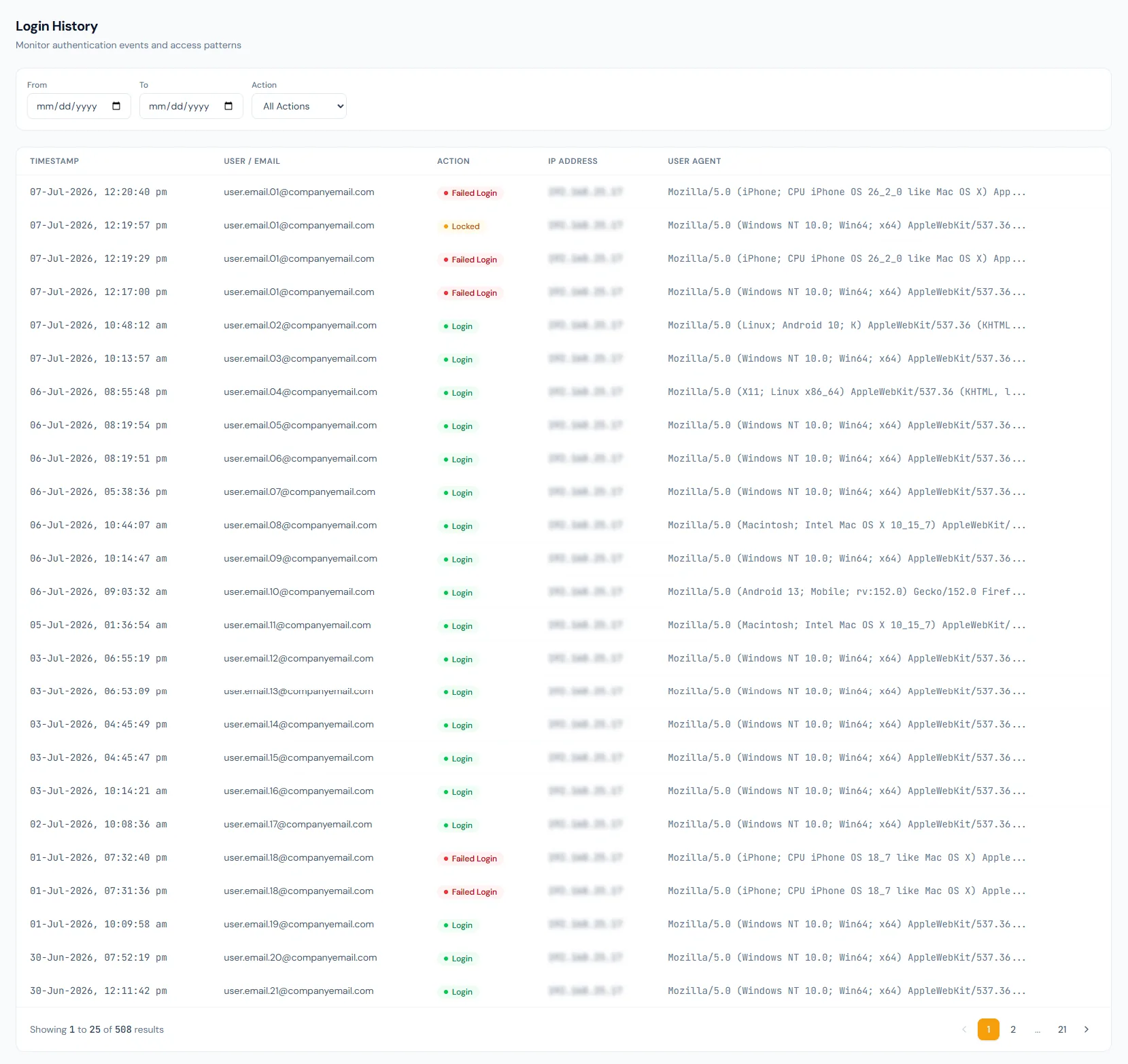
Authentication events can be reviewed by administrators.
Failed sign-ins and lockouts are visible, so a credential-guessing attempt does not go unnoticed.
Session exits can be part of the account timeline.
Company switches appear in the same timeline as sign-ins.
Support access is recorded for accountability.
Logs can be filtered to investigate a user or period.
Review authentication activity including sign-ins, failed attempts, sign-outs, workspace switches and impersonation so administrators can spot suspicious or support-related access.
Authentication events are stored separately from business activity logs.
Sign-in, failed sign-in, sign-out, workspace switch and impersonation are reviewable.
Admins can inspect who accessed the platform and when.
Review authentication activity including sign-ins, failed attempts, sign-outs, workspace switches and impersonation so administrators can spot suspicious or support-related access.
Yes. Authentication history is tracked separately.
Yes. Failed attempts appear in the log, and five in a row lock the account.
The administration log views are designed for focused review.
Map your current workflow to the right HRM setup, permissions and rollout plan.