
Employee file record
Documents are attached to employee profiles so HR can review the complete file from one place.
Manage employee documents with configurable types, file metadata, expiry tracking and a verification workflow connected to each employee record.
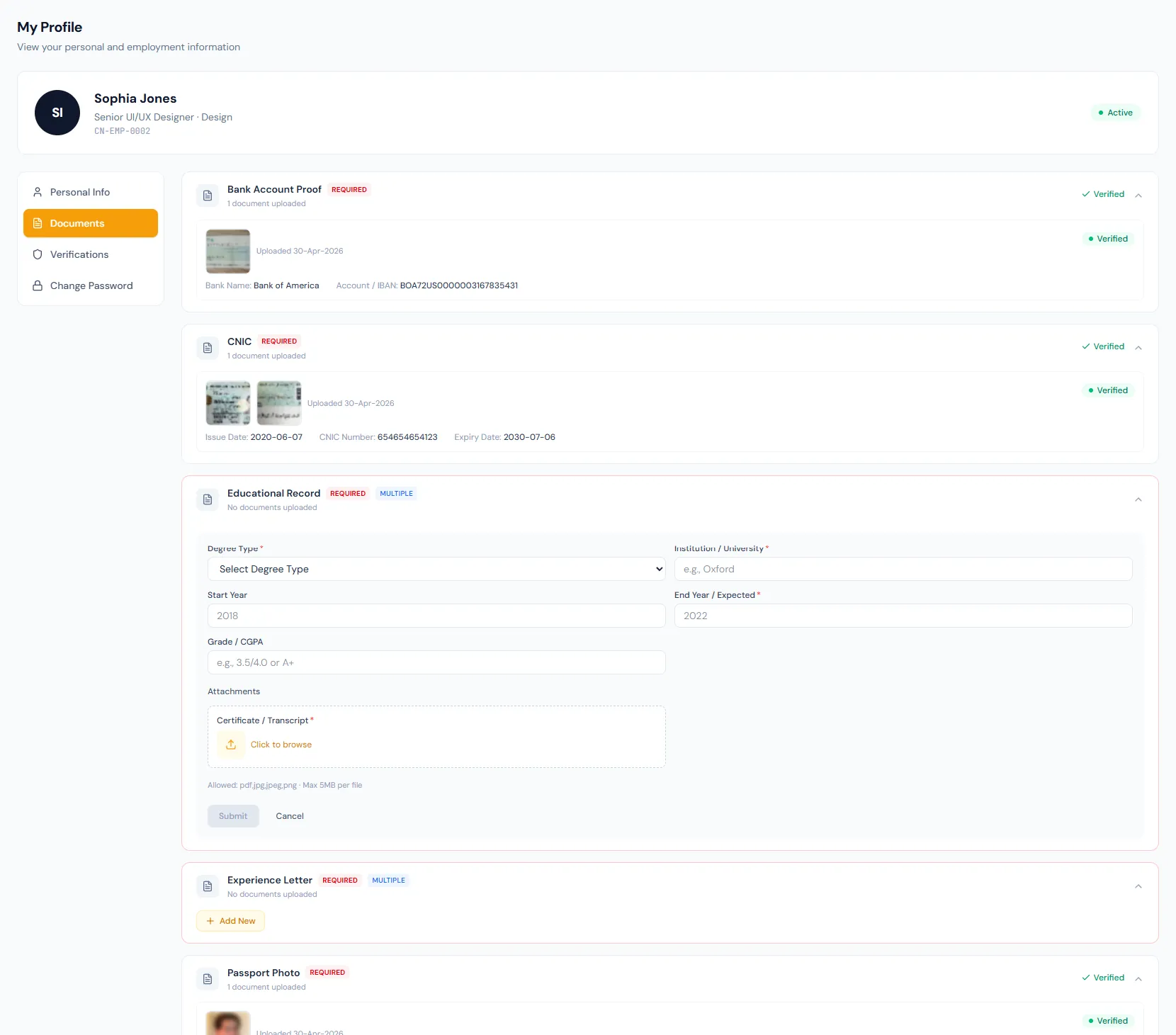
Manage employee documents with configurable types, file metadata, expiry tracking and a verification workflow connected to each employee record.
Manage employee documents with configurable types, file metadata, expiry tracking and a verification workflow connected to each employee record.
Documents are attached to employee profiles so HR can review the complete file from one place.
Issue date, expiry date and document number keep certificates, IDs and licenses searchable.
Pending, verified and rejected states make HR review clear — with an uploaded state when a company turns the review workflow off.
Every view stays structured and reviewable — nothing hides behind a tab.
New uploads are stored with metadata and wait for verification.
Accepted files become part of the approved document history, and verification can be revoked if something changes.
Rejected files keep the reason visible so a corrected upload can replace them.
A 30-day expiring-soon badge in the portal helps HR and employees act before documents become invalid.
Document types define mandatory status, accepted formats, size hints and whether multiple entries are allowed.
Document number, issue date and expiry date stay alongside the upload.
Pending, verified, rejected and uploaded states keep review decisions explicit, with revoke available.
Uploads, verifications and rejections each send their own notification email.
A 30-day expiring-soon badge surfaces upcoming expirations before compliance gaps appear.
Document records stay tied to employee profiles and related HR workflows.
Any configured document type, such as passport, degree, certification, license or identity proof.
Yes. Rejection stores a reason and the employee can submit a corrected upload.
Yes. A company-level switch turns the review workflow off, in which case uploads land as uploaded rather than pending.
Map your current workflow to the right HRM setup, permissions and rollout plan.