
Employee-scoped uploads
Files are stored against a selected employee record.
Use HRM file upload infrastructure for employee photos, documents and attachments with format validation, size limits, metadata and company-scoped storage.
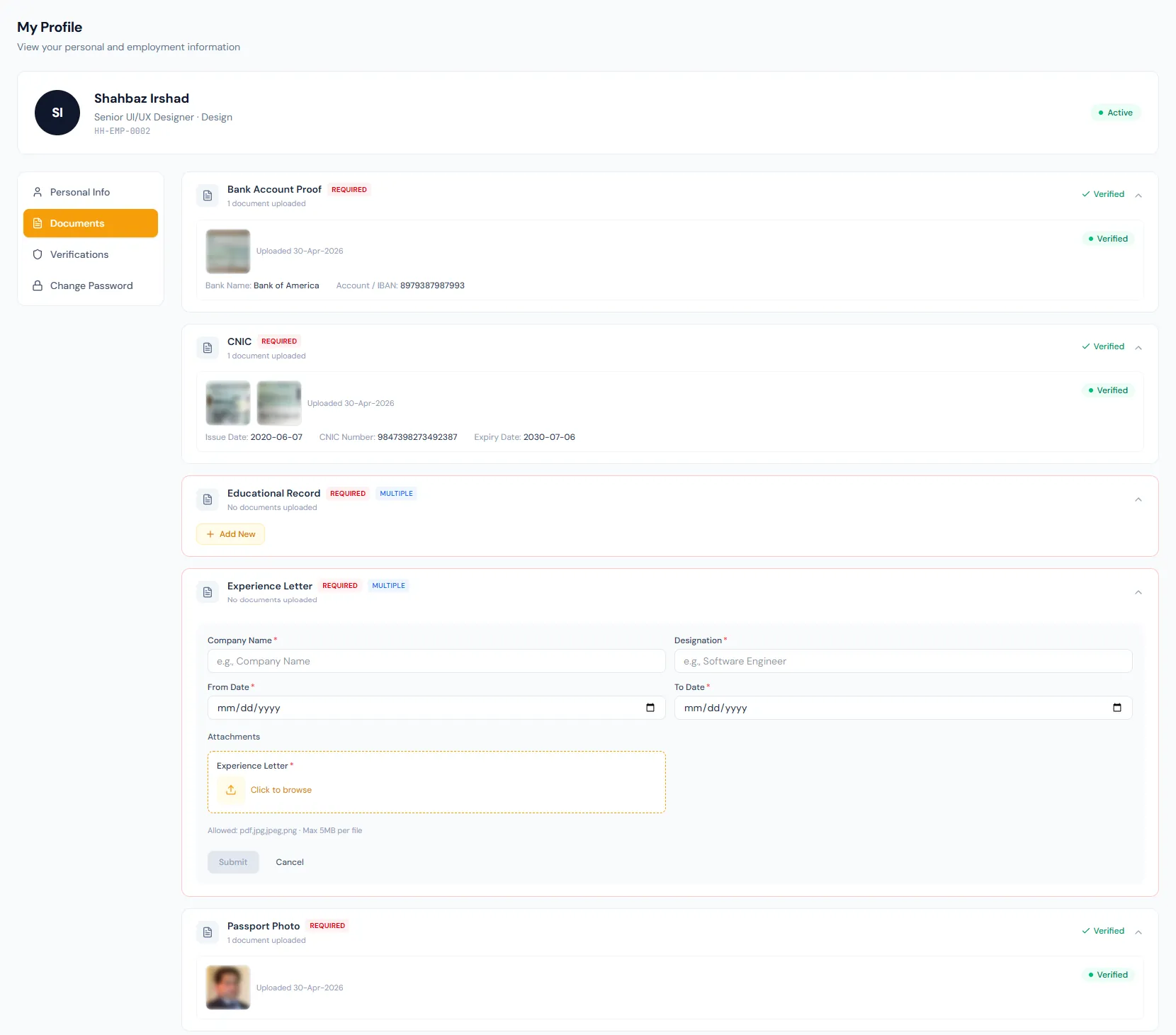
Use HRM file upload infrastructure for employee photos, documents and attachments with format validation, size limits, metadata and company-scoped storage.
Uploads are checked against the global format and size rule before being accepted.
Document number, dates and employee context make files searchable.
Every company's files live under their own storage space, cleanly separable for export or erasure.
Choose a view to see how this module keeps daily HR work structured and reviewable.
Files must match the accepted formats and the global size limit.
Values remain traceable in HRM.Files are stored against a selected employee record.
Types with several file slots — front and back of a card — collect each file in one entry.
Important dates and document numbers can be captured.
Rejected or expired files can be replaced with a fresh upload that restarts review.
Local disk or any S3-compatible provider works, and destinations can change without breaking old links.
The same file infrastructure supports related HR attachments.
Use HRM file upload infrastructure for employee photos, documents and attachments with format validation, size limits, metadata and company-scoped storage.
Shared context keeps this workflow aligned with employee documents records.
ConnectedShared context keeps this workflow aligned with document types records.
ConnectedShared context keeps this workflow aligned with document review records.
ConnectedShared context keeps this workflow aligned with employees records.
ConnectedShared context keeps this workflow aligned with notifications records.
ConnectedThe upload is rejected by the global size rule — 10 MB by default.
Yes. A new upload resets the review status to pending.
In your company's own storage space, on local disk or any S3-compatible cloud provider.
Map your current workflow to the right HRM setup, permissions and rollout plan.