
Analyze monthly attendance summaries, late arrivals, absenteeism and overtime reports using attendance logs, shifts and leave context.
Time reports
Analyze monthly attendance summaries, late arrivals, absenteeism and overtime reports using attendance logs, shifts and leave context.
Each employee's month rolls up into one row — presence, absences, half-days, early leaves, total late minutes and working hours.
Late arrivals, absenteeism and overtime reports help HR detect attendance issues before payroll.
Days on approved leave sit in their own bucket, separate from absence.
Analyze monthly attendance summaries, late arrivals, absenteeism and overtime reports using attendance logs, shifts and leave context.
The Attendance Reports page from HRM helps teams review attendance outcomes, monthly summaries, late marks, overtime and absences from one reporting view.
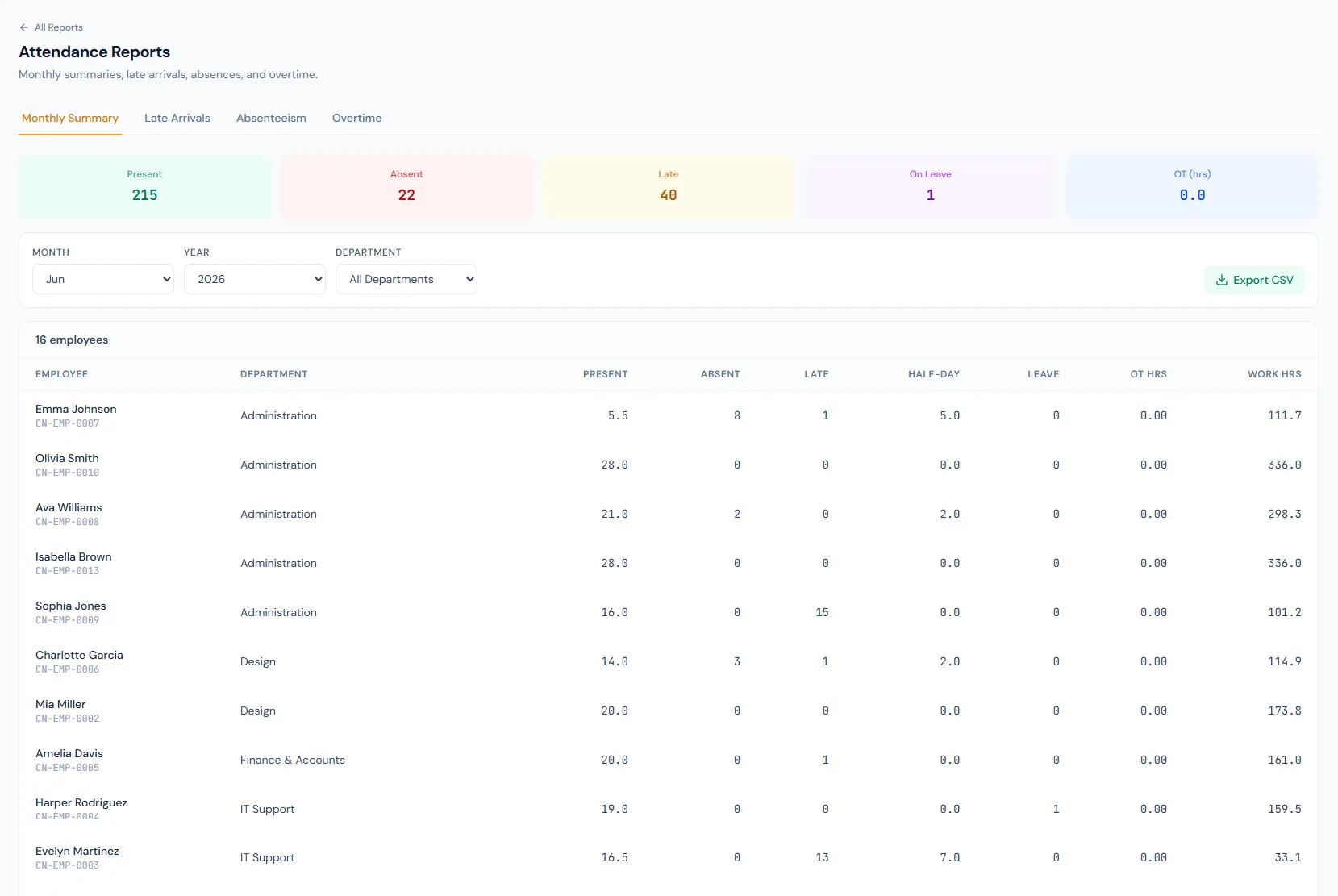
One row per employee covers presence, half-days, early leaves, late minutes and working hours.
Identify employees crossing late thresholds.
Find repeated or unexplained absences.
Review overtime totals before payroll.
Approved leave counts separately, so absence figures stay honest.
Send filtered attendance results to CSV.
Every view stays structured and reviewable — nothing hides behind a tab.
Monthly summaries roll a full month of attendance into one row per employee.
The late arrivals report identifies employees crossing late thresholds.
Overtime summaries support salary and policy review.
Absenteeism reports separate absences from approved leave, which has its own bucket.
Tracking captures the operational records; attendance reports summarize and export them.
Monthly Attendance Summary, Late Arrivals, Absenteeism and Overtime — each aggregating the month per employee.
Yes. Days on approved leave sit in their own bucket, distinct from absence.
Map your current workflow to the right HRM setup, permissions and rollout plan.