
Personal identity
Store name, code, email, phone, CNIC, date of birth and other identity fields in a single profile.
Maintain personal, contact, employment, reporting, department, designation and access details in one controlled employee profile so HR teams can review the full employee record without searching across spreadsheets.
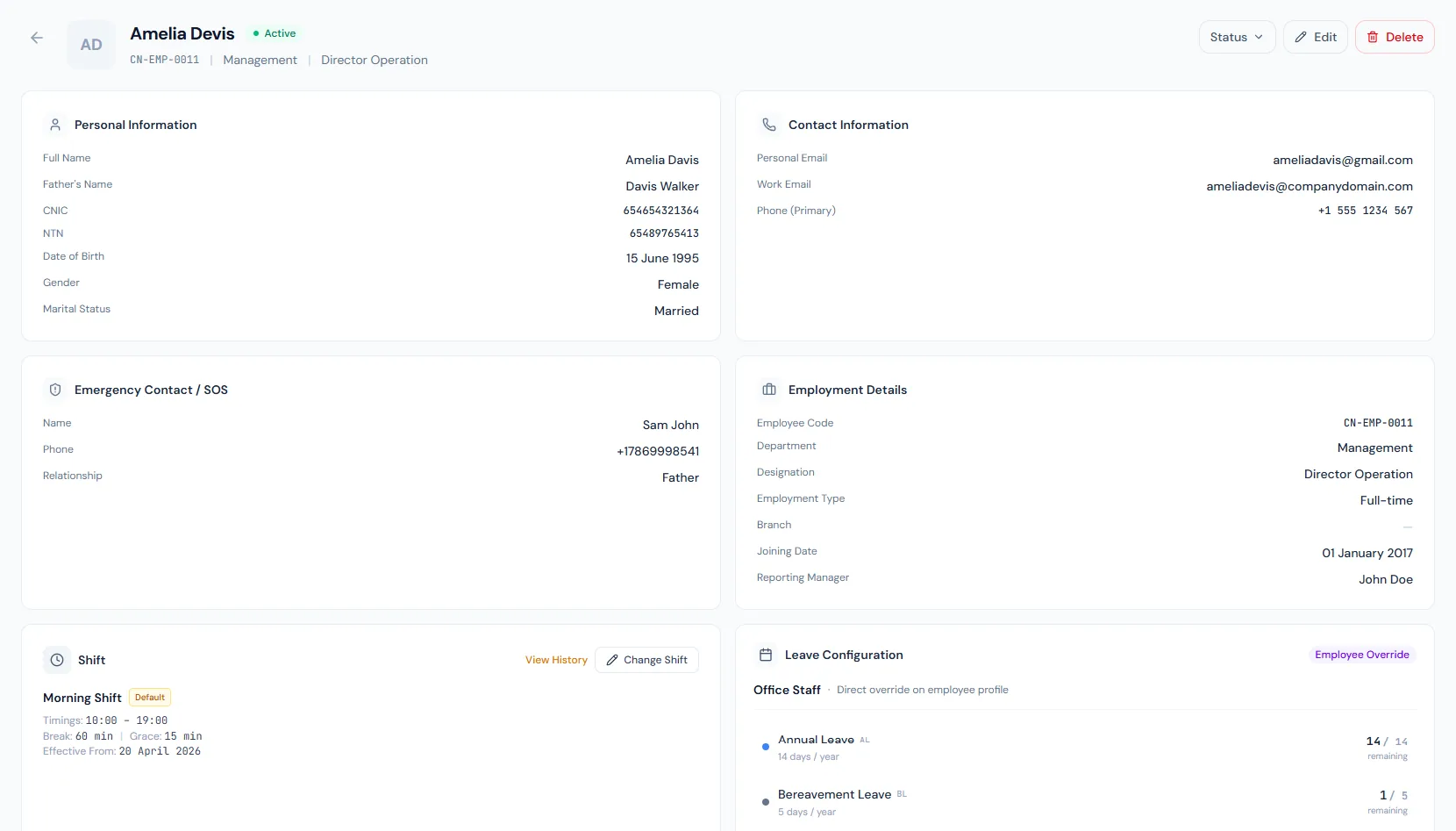
Maintain personal, contact, employment, reporting, department, designation and access details in one controlled employee profile so HR teams can review the full employee record without searching across spreadsheets.
Maintain personal, contact, employment, reporting, department, designation and access details in one controlled employee profile so HR teams can review the full employee record without searching across spreadsheets.
Store name, code, email, phone, CNIC, date of birth and other identity fields in a single profile.
Attach department, designation, branch, employment type, joining date, shift and employee status.
Keep manager, role and access context visible so approvals and permissions stay aligned with the person record.
Every view stays structured and reviewable — nothing hides behind a tab.
Personal and contact fields make the employee easy to identify and reach.
Branch, department, designation and employment type stay together for HR review.
Reporting relationships support approvals, escalations and team structure.
HR can scan required fields and update records when employee details change.
Personal, contact, employment and reporting fields are organized for fast HR review.
Generated employee codes keep records stable across reports and payroll — and the national ID is unique per company.
Profiles inherit organization setup context for clean reporting.
Active, on-leave, suspended and separation statuses guide downstream workflows, while probation is tracked through probation and confirmation dates.
Phone and emergency contact details carry their own verification states beside address verification.
Loan eligibility, daily-report exemption and leave group can be set per person, overriding role defaults.
Identity, contact, employment, department, designation, branch, reporting and status details.
Employee documents, contracts, HR letters, payroll, attendance and reports can use the profile record.
Yes. Reporting line, department and role context help approval and access workflows stay aligned.
Map your current workflow to the right HRM setup, permissions and rollout plan.