
Template library
Each letter type can have a reusable template, with multiple formats where needed.
Maintain HR letter templates with a single content layout, type, active status, merge-field placeholders, responsive preview and built-in defaults for common HR documents.
Logo, address and company seal merge into the content through placeholders.
Choose a view to see how this module keeps daily HR work structured and reviewable.
Logo, address and company seal merge into the content through placeholders.
Values remain traceable in HRM.The Letter Templates page from HRM keeps ready-made formats, tokenized content, preview controls and active template status organized for consistent official correspondence.
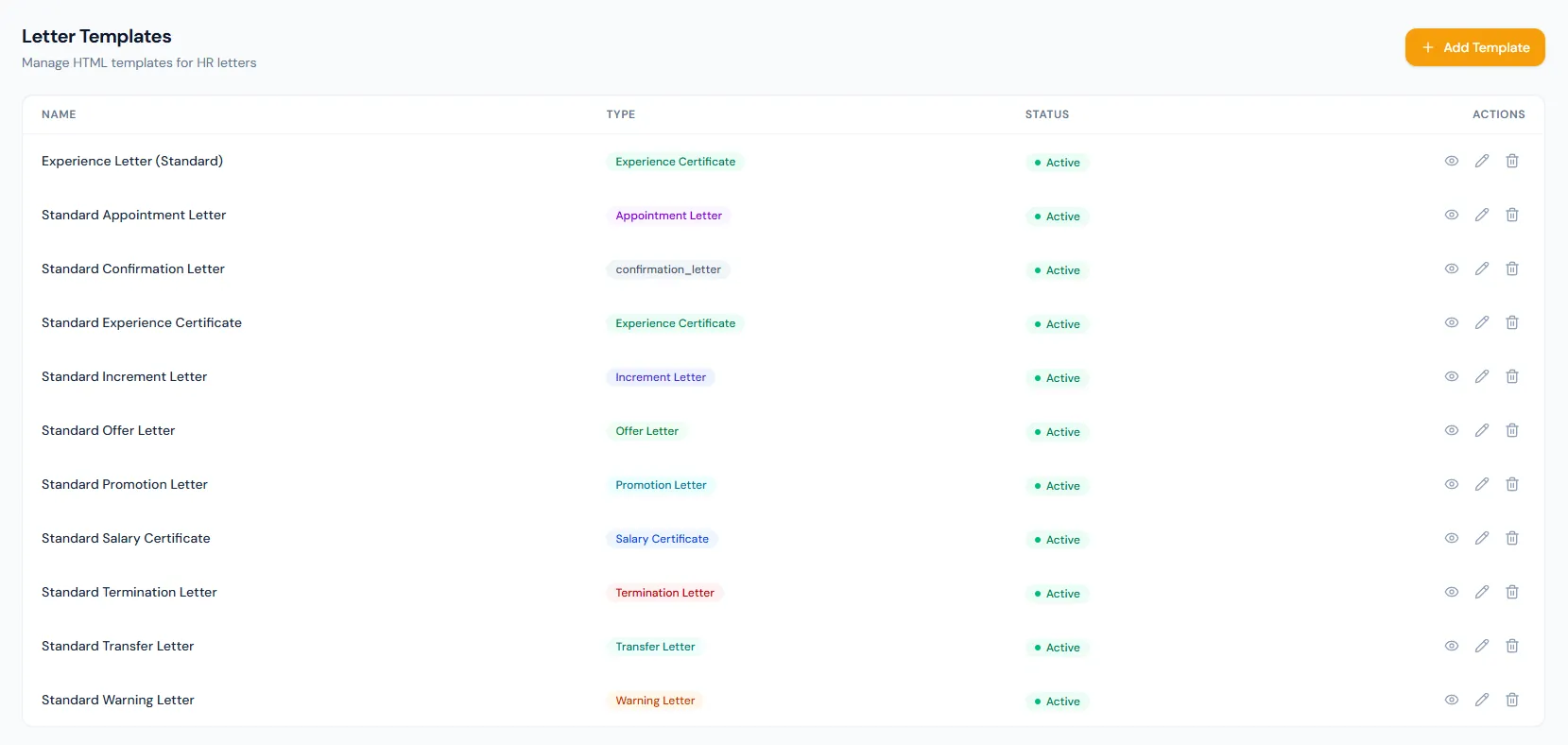
Maintain HR letter templates with a single content layout, type, active status, merge-field placeholders, responsive preview and built-in defaults for common HR documents.
Each letter type can have a reusable template, with multiple formats where needed.
Company, employee and action-specific details are filled in automatically with merge fields.
The standard footer — company details and the computer-generated notice — and the verification QR are added by the PDF engine after the template renders, so templates stay focused on the letter body.
Common HR letters can each have their own controlled format.
Different branches or document styles can use separate templates.
Logo and seal placeholders support official presentation.
Promotion, increment, transfer and termination fields can be merged.
The standard footer and verification QR are appended after rendering — no template work needed.
Refreshing to the latest built-in version replaces the template content, so export custom wording before refreshing.
Maintain HR letter templates with a single content layout, type, active status, merge-field placeholders, responsive preview and built-in defaults for common HR documents.
Shared context keeps this workflow aligned with HR letters records.
ConnectedShared context keeps this workflow aligned with template engine records.
ConnectedShared context keeps this workflow aligned with PDF generation records.
ConnectedShared context keeps this workflow aligned with company profile records.
ConnectedShared context keeps this workflow aligned with employees records.
ConnectedPreview uses sample employee data and current company branding; issued letters use the selected employee context.
Yes. Multiple templates per letter type are supported.
Yes. Custom letter templates cover ad-hoc correspondence.
Map your current workflow to the right HRM setup, permissions and rollout plan.