
Summary
Run totalsMonthly summary reports show period totals and status.
- GrossTotal
- DeductionsTotal
- NetTotal
Generate monthly payroll summaries, component breakdowns, bank transfer files and fiscal-year summaries for salary review and finance handoff.
Monthly summary reports show period totals and status.
Generate monthly payroll summaries, component breakdowns, bank transfer files and fiscal-year summaries for salary review and finance handoff.
Every view stays structured and reviewable — nothing hides behind a tab.
Monthly summary reports show period totals and status.
Component breakdowns show earnings and deductions by salary component.
The bank transfer file prepares net salary values for finance payment workflows.
The fiscal-year summary rolls payroll totals across the whole year.
The Payroll Reports page from HRM helps teams review payroll summaries, employee-level salary details, component totals, bank transfer sheets and payroll variance from one reporting view.
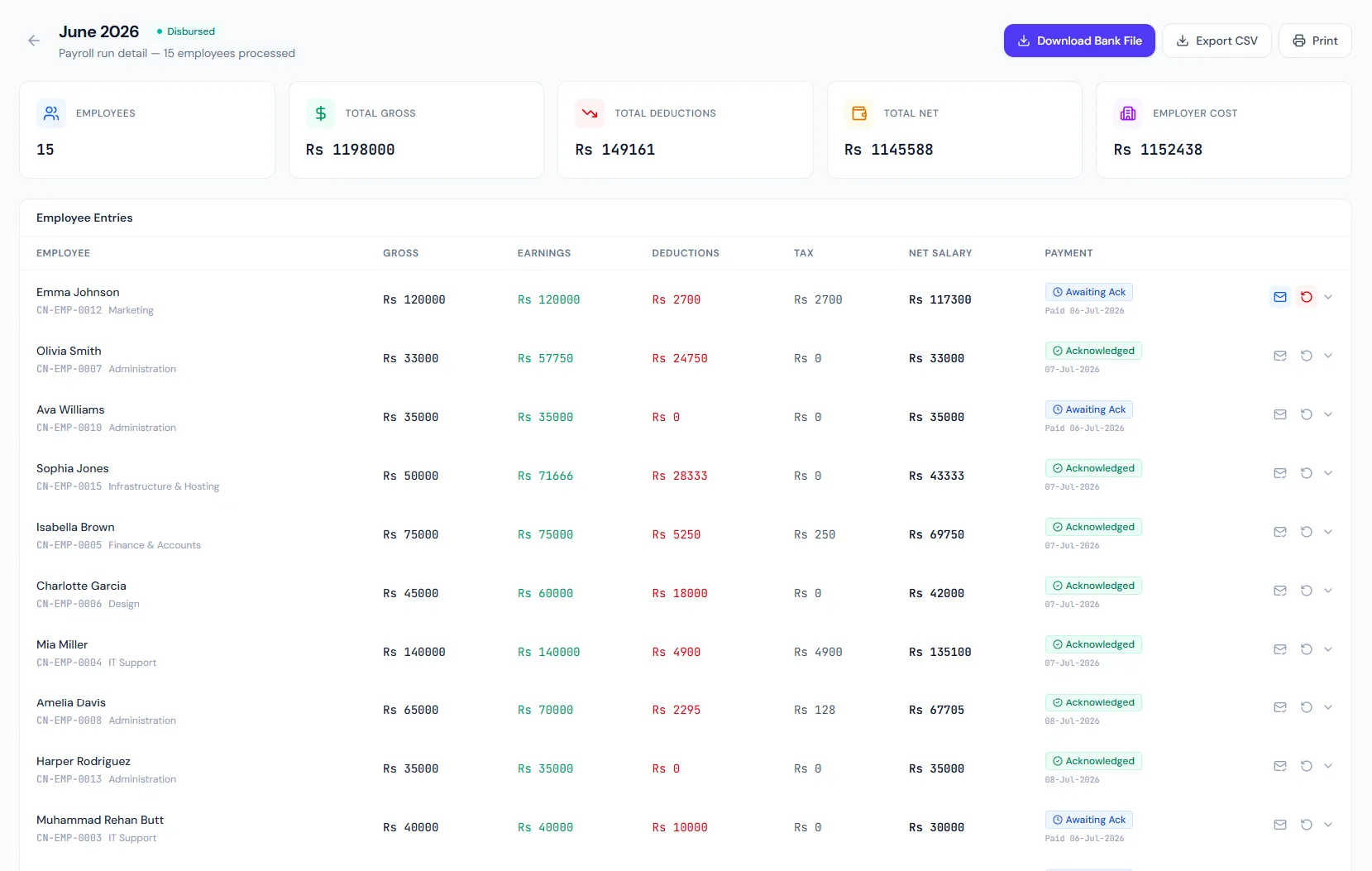
Generate monthly payroll summaries, component breakdowns, bank transfer files and fiscal-year summaries for salary review and finance handoff.
Summarizes gross pay, deductions, net pay and status for a payroll period.
Shows earnings and deductions grouped by salary component across the period.
Bank transfer files and fiscal-year summaries help finance validate, disburse and close the year.
Review salary run totals by period.
Understand earnings, deductions and employer costs by component.
Prepare finance-ready payment outputs.
See the year's payroll picture in one report.
Reports follow the selected payroll period.
Payroll reports export to CSV for finance review.
Monthly Summary, Component Breakdown, Bank Transfer File and Fiscal-Year Summary.
Yes. The reporting permission protects payroll reporting.
Yes. The Bank Transfer File is designed for finance handoff.
Map your current workflow to the right HRM setup, permissions and rollout plan.