Choose leave reportLeave Reports
Ready
Report on leave balances, utilization and applications so HR can review entitlement consumption, request volume and usage patterns.
Balance reports show allocated, used and remaining leave.
Report on leave balances, utilization and applications so HR can review entitlement consumption, request volume and usage patterns.
Choose a view to see how this module keeps daily HR work structured and reviewable.
Balance reports show allocated, used and remaining leave.
Values remain traceable in HRM.The Leave Reports page from HRM helps teams review leave balances, utilization patterns, request history and pending approvals from one reporting view.
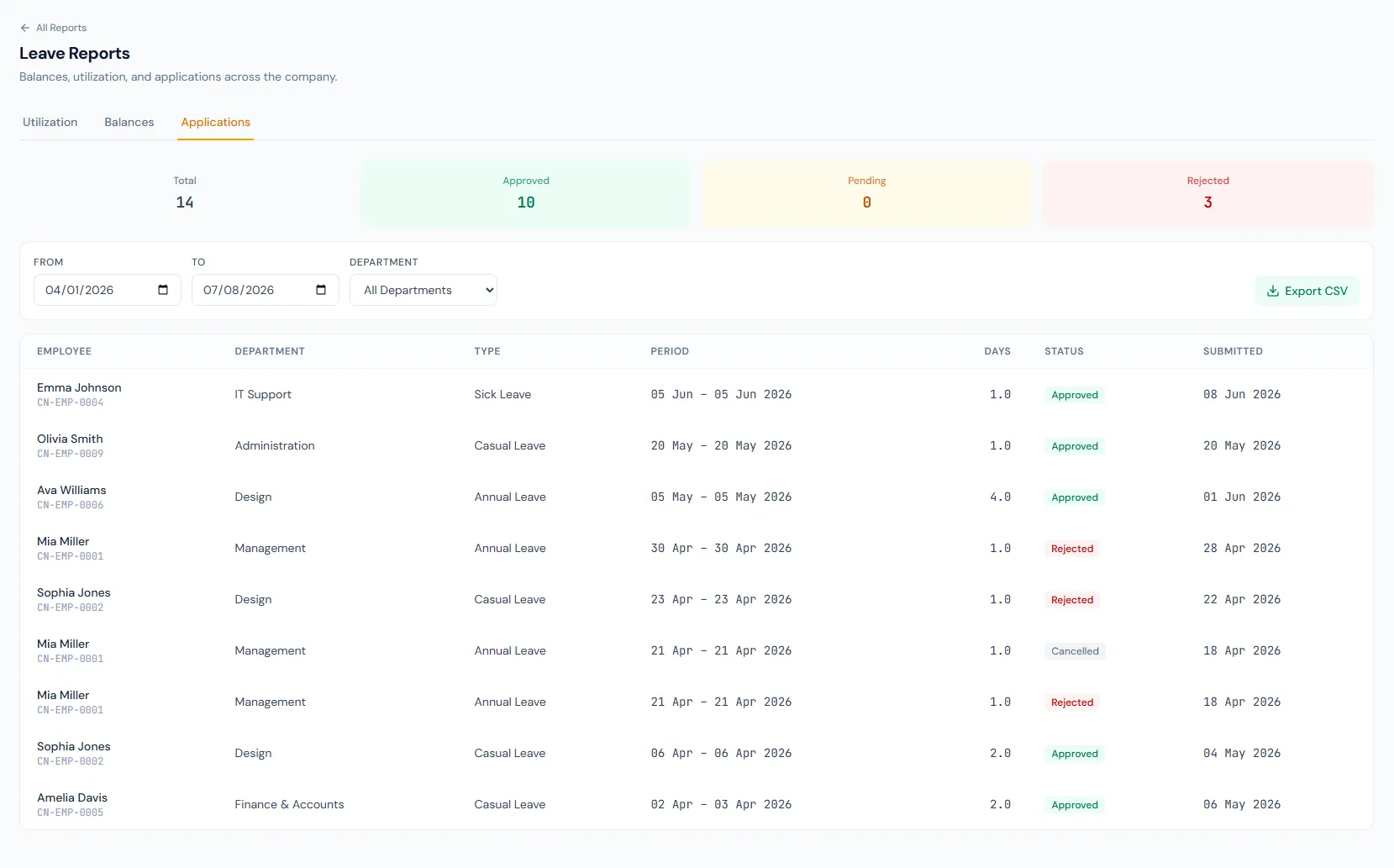
Report on leave balances, utilization and applications so HR can review entitlement consumption, request volume and usage patterns.
Shows remaining, used and allocated leave per employee or leave type.
Summarizes how employees and teams consume leave over a selected period.
Request history lists submitted, approved, rejected and cancelled leave.
Review current leave entitlement status, fiscal year by fiscal year.
Track leave consumption patterns.
Audit requests by employee, period and status.
The balances export flattens each leave type into its own column for spreadsheet work.
Segment reports for team-level planning.
Share leave reports as CSV for finance and HR workflows.
Shared context keeps this workflow aligned with HR reports records.
ConnectedShared context keeps this workflow aligned with leave management records.
ConnectedShared context keeps this workflow aligned with leave policies records.
ConnectedShared context keeps this workflow aligned with attendance reports records.
ConnectedShared context keeps this workflow aligned with dashboard records.
ConnectedLeave Balances, Leave Utilization and Leave Applications.
The current fiscal year by default, with earlier years selectable.
Yes. Leave type and date filters support focused review.
Map your current workflow to the right HRM setup, permissions and rollout plan.