
Employees submit multi-line reimbursement claims with optional receipts, managers and HR approve them, and approved claims create non-taxable payroll adjustments.
Employees submit multi-line reimbursement claims with optional receipts, managers and HR approve them, and approved claims create non-taxable payroll adjustments.
Capture one line per meal, taxi, software purchase or other reimbursable expense.
Attach optional receipts so approvers can review supporting proof.
HR approval creates a payroll adjustment picked up by the next payroll run.
The Expense Claims page from HRM keeps employee reimbursements, receipt review, approval status and payroll handoff organized in one workflow.
HR can approve submitted claims directly when manager review is unavailable or not required.
Employees see why a manager or HR rejected a claim, and zero-total claims are rejected at HR approval.
Employees can withdraw claims before HR approval.
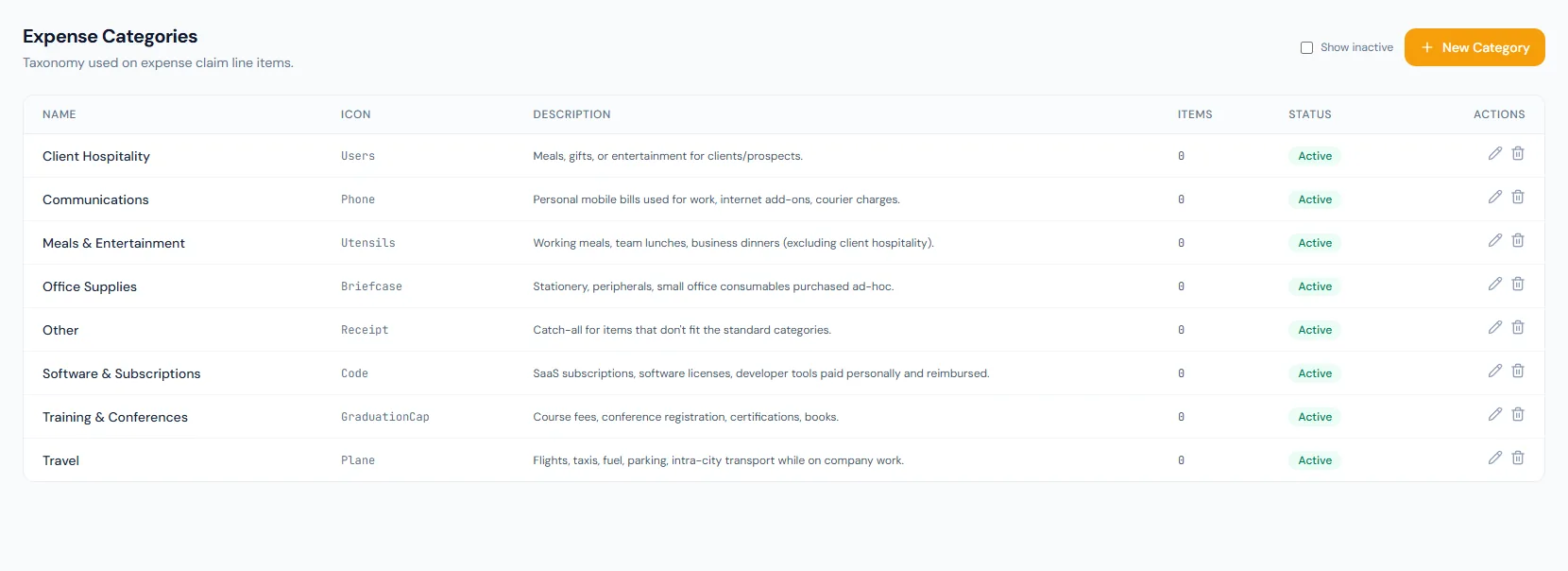
Eight default categories cover common reimbursement types.
Uploads remain tied to the claim for approval review.
Employee, manager and admin views support the full workflow.
The module sits on top of payroll adjustments, so claims move through approval while payroll receives the final reimbursement amount.
Every view stays structured and reviewable — nothing hides behind a tab.
Only draft claims remain editable before submission.
The claim is locked and waiting for reporting manager review.
Manager approval is a real intermediate state with its own notification, and the manager can also reject with a reason.
HR approval creates the non-taxable payroll adjustment; the claim stays approved while payroll pays it out.
Yes. HR can approve submitted claims directly if the organization grants that permission.
The generated payroll adjustment is a non-taxable addition.
Locking the payroll run pays out the linked adjustment; the claim itself stays in its approved state as the record of the decision.
Map your current workflow to the right HRM setup, permissions and rollout plan.